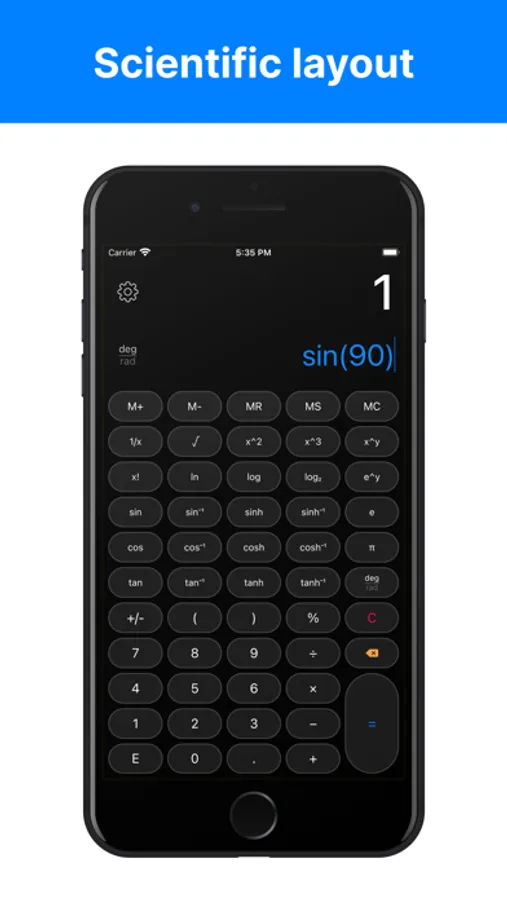
In this calculator app, you can perform basic and scientific calculations with customizable themes and multi-line input. Includes history tape, memory functions, voiceOver support, and widget integration.
AppRecs review analysis
AppRecs rating 4.3. Trustworthiness 65 out of 100. Review manipulation risk 24 out of 100. Based on a review sample analyzed.
★★★★☆
4.3
AppRecs Rating
Ratings breakdown
5 star
85%
4 star
10%
3 star
2%
2 star
0%
1 star
2%
What to know
✓
Low review manipulation risk
24% review manipulation risk
✓
High user satisfaction
85% of sampled ratings are 5 stars
About Calculator Pro Elite
A modern calculator with extensive customization and powerful features. Design it exactly how you want it. Used by millions. Completely ad-free.
MAKE IT YOURS
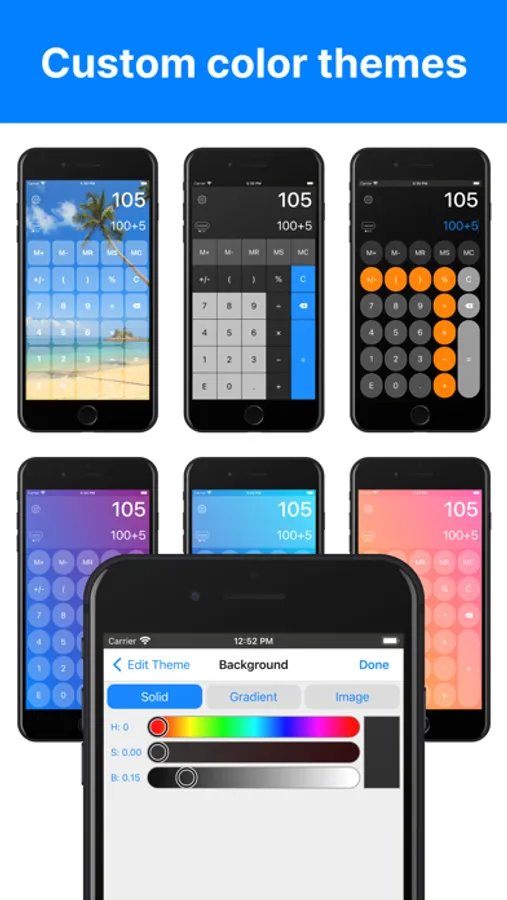
・Create custom themes with your own gradients, colors, or photos
・Choose from multiple button shapes and customize all colors
・Modern flat interface that looks great on any device
・6 layouts including extra-large button options
・Complete control over every visual element
SEE EVERY STEP
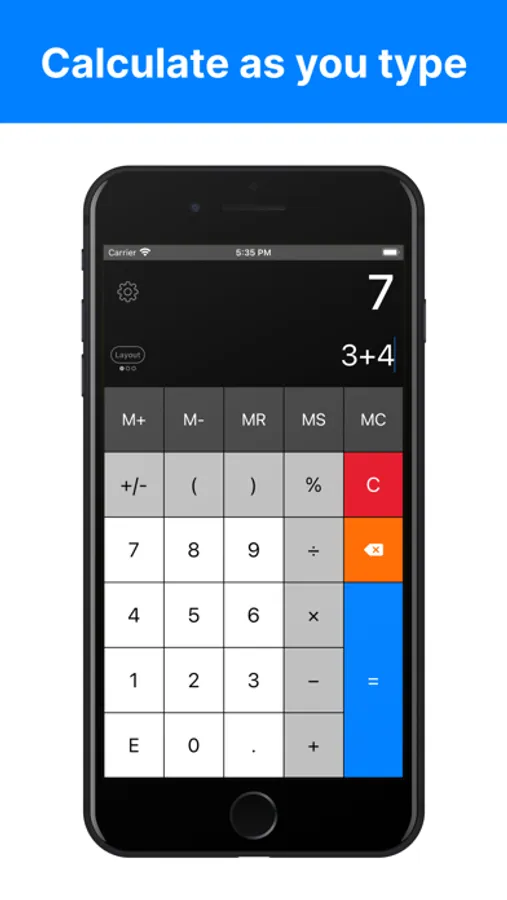
・Dual-line display - shows your input and result simultaneously
・Multi-line input for long equations
・Tap & hold to move the cursor or copy and paste where you want
SAVE YOUR WORK
・History saves every calculation with time and date
・Label important calculations for easy reference
・Email single calculations or complete history
・Swipe down to review previous work
PROFESSIONAL FEATURES
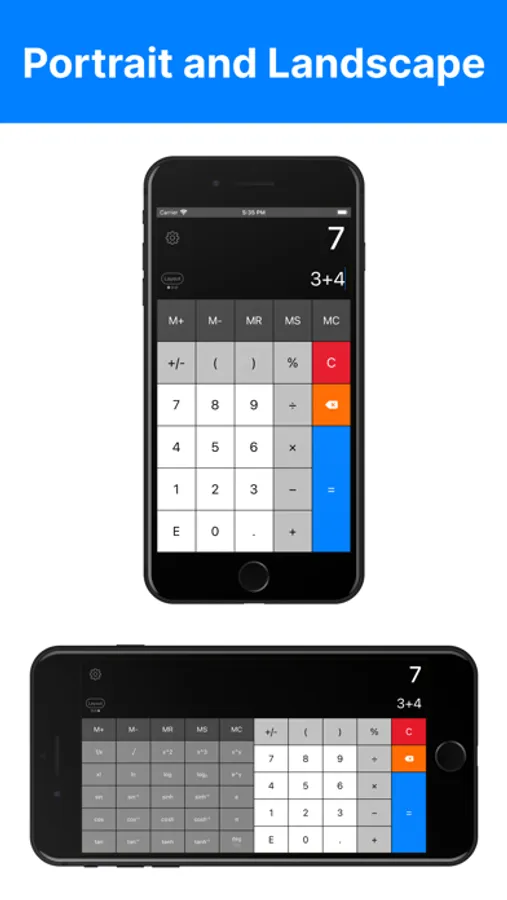
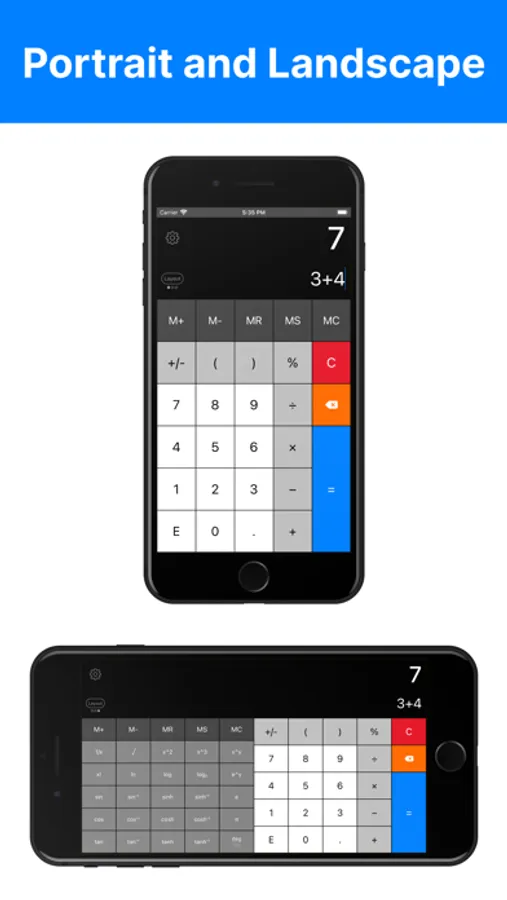
・Full scientific calculator when needed
・Memory buttons with values displayed
・Percentage and backspace buttons
・Automatic scientific notation
・VoiceOver accessibility
OPTIONAL IN APP PURCHASES
・Today View Widget (iOS 17 and below)
・Multiple History Tapes
ADDITIONAL CUSTOMIZATION
・Adjustable font size and bold text
・Dark Mode support
・Left-handed mode
・Customizable button symbols and decimal settings
・iPad Split View and 3D Touch support
・Gesture controls for quick access
URL Scheme: calculatorproelite://
MAKE IT YOURS
・Create custom themes with your own gradients, colors, or photos
・Choose from multiple button shapes and customize all colors
・Modern flat interface that looks great on any device
・6 layouts including extra-large button options
・Complete control over every visual element
SEE EVERY STEP
・Dual-line display - shows your input and result simultaneously
・Multi-line input for long equations
・Tap & hold to move the cursor or copy and paste where you want
SAVE YOUR WORK
・History saves every calculation with time and date
・Label important calculations for easy reference
・Email single calculations or complete history
・Swipe down to review previous work
PROFESSIONAL FEATURES
・Full scientific calculator when needed
・Memory buttons with values displayed
・Percentage and backspace buttons
・Automatic scientific notation
・VoiceOver accessibility
OPTIONAL IN APP PURCHASES
・Today View Widget (iOS 17 and below)
・Multiple History Tapes
ADDITIONAL CUSTOMIZATION
・Adjustable font size and bold text
・Dark Mode support
・Left-handed mode
・Customizable button symbols and decimal settings
・iPad Split View and 3D Touch support
・Gesture controls for quick access
URL Scheme: calculatorproelite://