Voice Record Pro 7
Dayana Networks Ltd
4.7 ★
store rating
Free
AppRecs review analysis
AppRecs rating 4.2. Trustworthiness 81 out of 100. Review manipulation risk 22 out of 100. Based on a review sample analyzed.
★★★★☆
4.2
AppRecs Rating
Ratings breakdown
5 star
85%
4 star
8%
3 star
2%
2 star
1%
1 star
3%
What to know
✓
Low review manipulation risk
22% review manipulation risk
✓
Credible reviews
81% trustworthiness score from analyzed reviews
⚠
Ad complaints
Many low ratings mention excessive ads
About Voice Record Pro 7
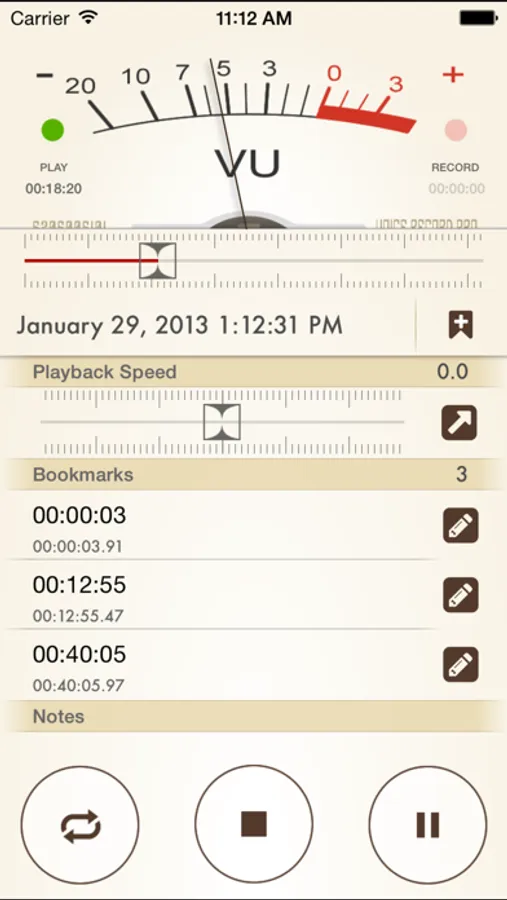
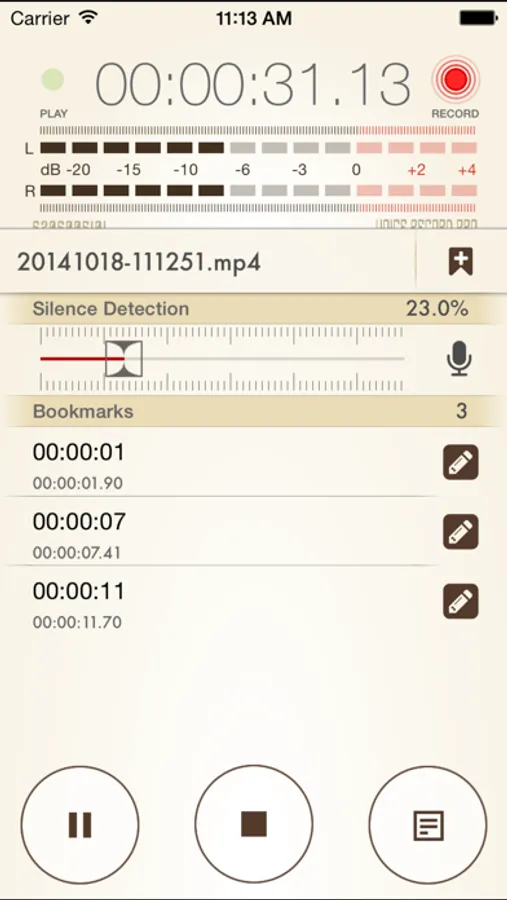
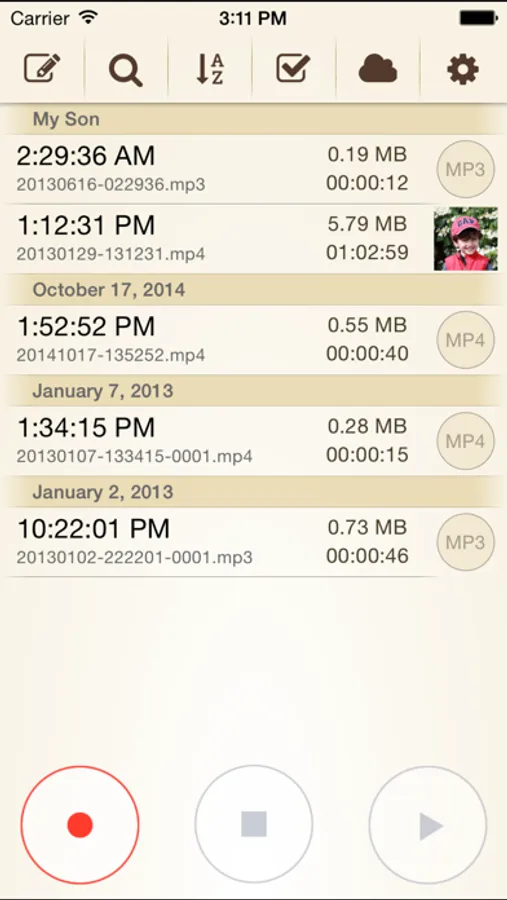
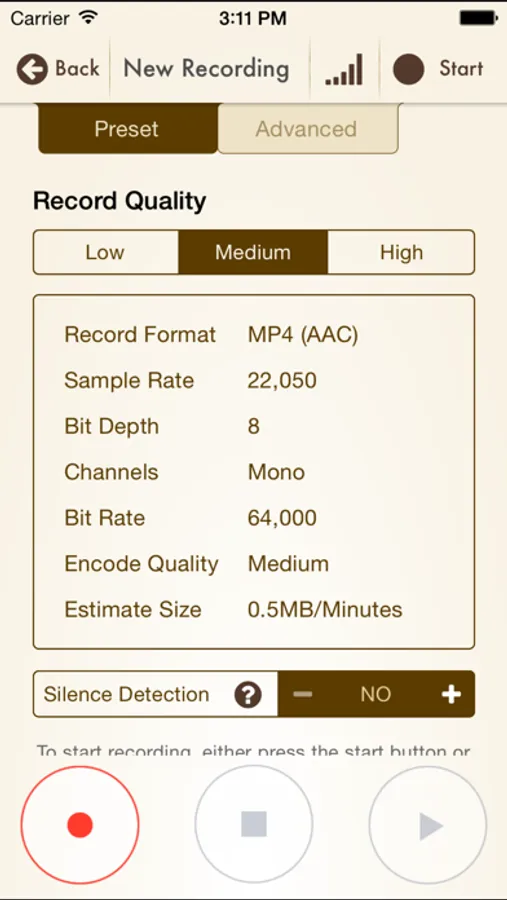
Voice Record Pro 7 is a professional voice recorder based on powerful engine of Voice Record Pro, but with a more flat design. It allows you to record voice memos and on-site sounds at unlimited length with configurable quality. Voice Record Pro 7 can record directly in MP4 (AAC), MP3 (MPEG) and WAV (PCM) formats plus convert function for all supported formats.
With recorded files you can:
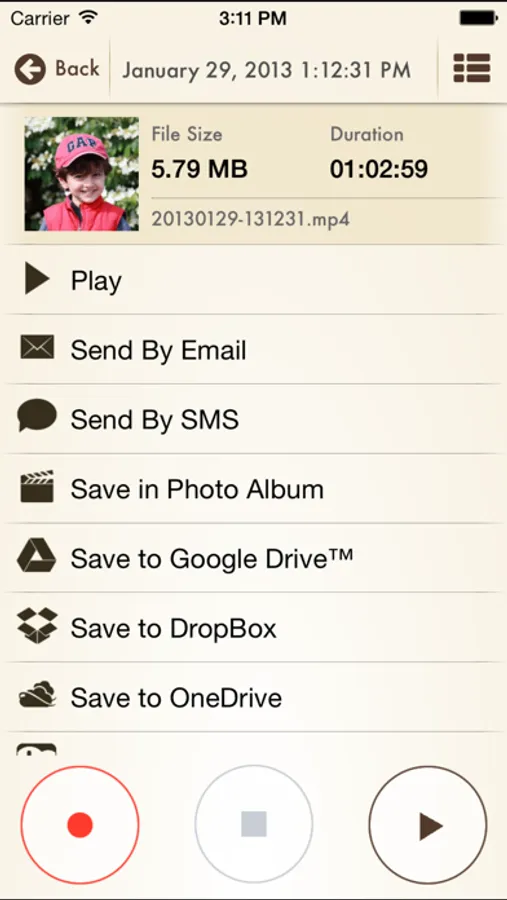
- Export to and import from Google Drive™
- Export to and import from DropBox
- Export to and import from Microsoft® OneDrive
- Export to and import from Box Cloud
- Export to SoundCloud
- Export to FTP server
- Export to any hosted Web based Script
- Send to other devices via Bluetooth
- Download directly to PC using built-in web server via local WiFi connection
- Upload from PC using WiFi connection
- WebDav support using WiFi service
- Convert to a movie clip and export to Photo Albums
- Post as a Movie Clip to YouTube
- Export to other apps on your device that can handle the audio file
- Import from other apps
- Send Audio or Movie by email
- Send Audio or Movie by SMS/iMessage
- Add notes to records
- Add photo to records
- Add bookmarks to records
- Modify ID3v2 tags
- Append a record to another record
- Split a record into multiple parts
- Join multiple audio records into one
- Apply effects to the recorded or imported file including:
- Echo
- Volume/Gain
- Pitch & Speed
- Reverb
- Distortion
- 3/6/10 Band Equalizer
Additionally you can:
- Convert the records to other formats
- Trim the records
- Duplicate the records
- Append records
- Protect the app with a passcode
and much more. Enjoy.
With recorded files you can:
- Export to and import from Google Drive™
- Export to and import from DropBox
- Export to and import from Microsoft® OneDrive
- Export to and import from Box Cloud
- Export to SoundCloud
- Export to FTP server
- Export to any hosted Web based Script
- Send to other devices via Bluetooth
- Download directly to PC using built-in web server via local WiFi connection
- Upload from PC using WiFi connection
- WebDav support using WiFi service
- Convert to a movie clip and export to Photo Albums
- Post as a Movie Clip to YouTube
- Export to other apps on your device that can handle the audio file
- Import from other apps
- Send Audio or Movie by email
- Send Audio or Movie by SMS/iMessage
- Add notes to records
- Add photo to records
- Add bookmarks to records
- Modify ID3v2 tags
- Append a record to another record
- Split a record into multiple parts
- Join multiple audio records into one
- Apply effects to the recorded or imported file including:
- Echo
- Volume/Gain
- Pitch & Speed
- Reverb
- Distortion
- 3/6/10 Band Equalizer
Additionally you can:
- Convert the records to other formats
- Trim the records
- Duplicate the records
- Append records
- Protect the app with a passcode
and much more. Enjoy.