
MediaDict
CoCO SWING
4.7 ★
store rating
$5.99
AppRecs review analysis
AppRecs rating 4.7. Trustworthiness 68 out of 100. Review manipulation risk 20 out of 100. Based on a review sample analyzed.
★★★★☆
4.7
AppRecs Rating
Ratings breakdown
5 star
84%
4 star
7%
3 star
7%
2 star
0%
1 star
2%
What to know
✓
Low review manipulation risk
20% review manipulation risk
✓
High user satisfaction
84% of sampled ratings are 5 stars
✓
Authentic reviews
No red flags detected
About MediaDict
* LITE (FREE) version → Search "MediaDict"
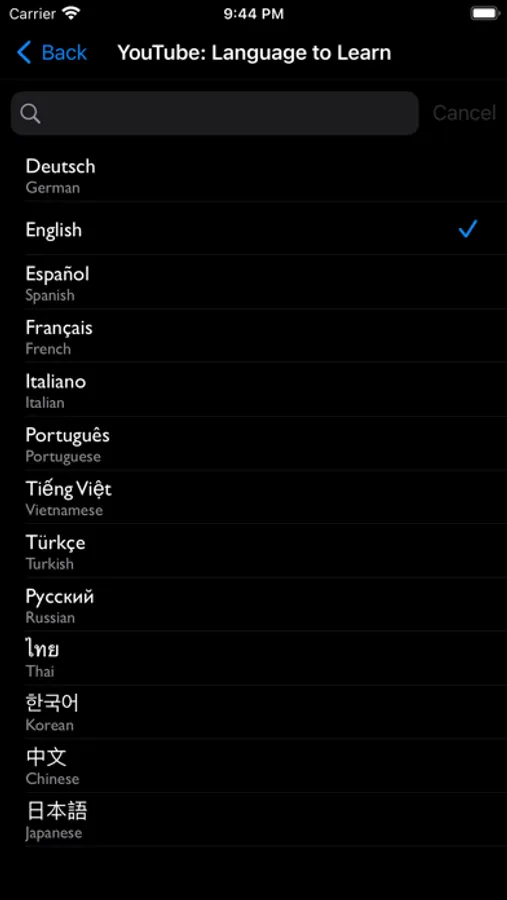
Study over 50 languages, including English, Korean, Spanish, French, Japanese, Chinese, Russian, German, Vietnamese, Turkish, Italian, and more! Enjoy fun and diverse content to enhance your language learning experience.
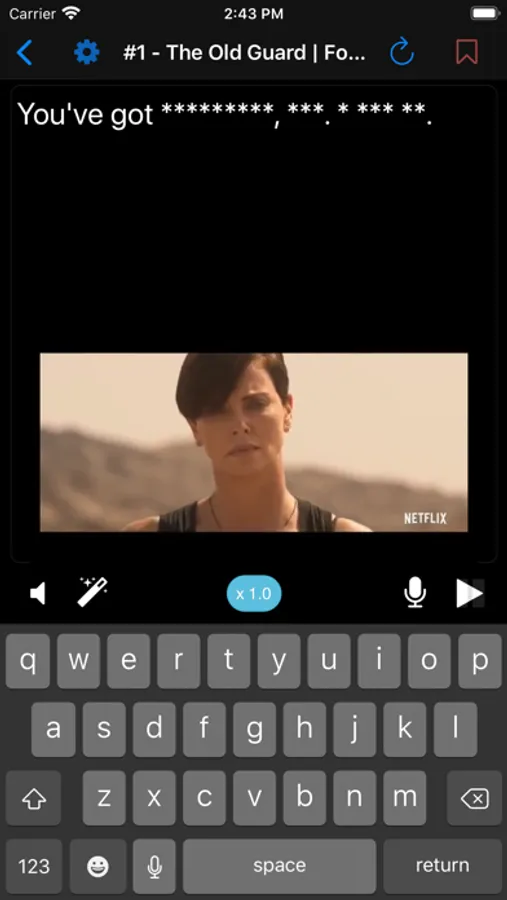
MediaDict provides the most effective methods for language learning: dictation and shadowing.
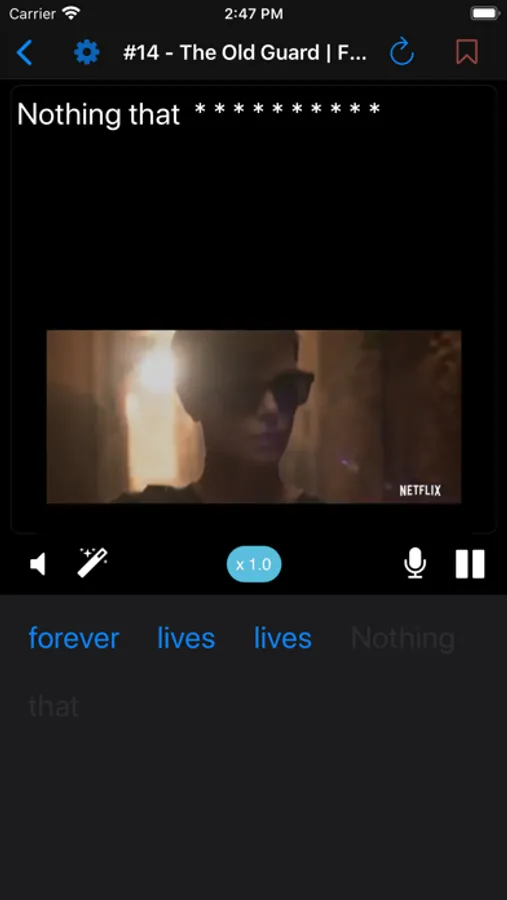
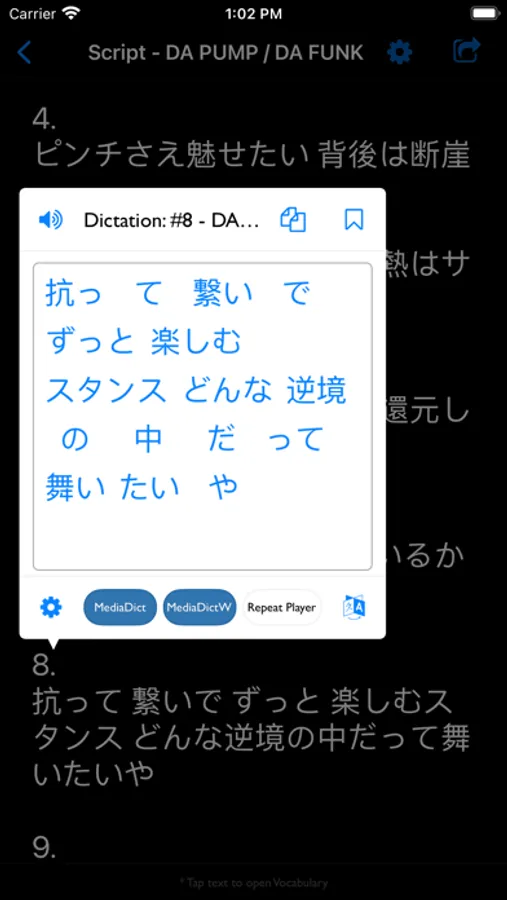
In every language, certain words are hard to hear depending on surrounding words. Identifying the words you struggle to hear accurately helps you become familiar with their pronunciation, leading to effective improvement. The “MediaDictW” menu offers dictation exercises by arranging word order, while the “MediaDict” menu provides character-by-character dictation.
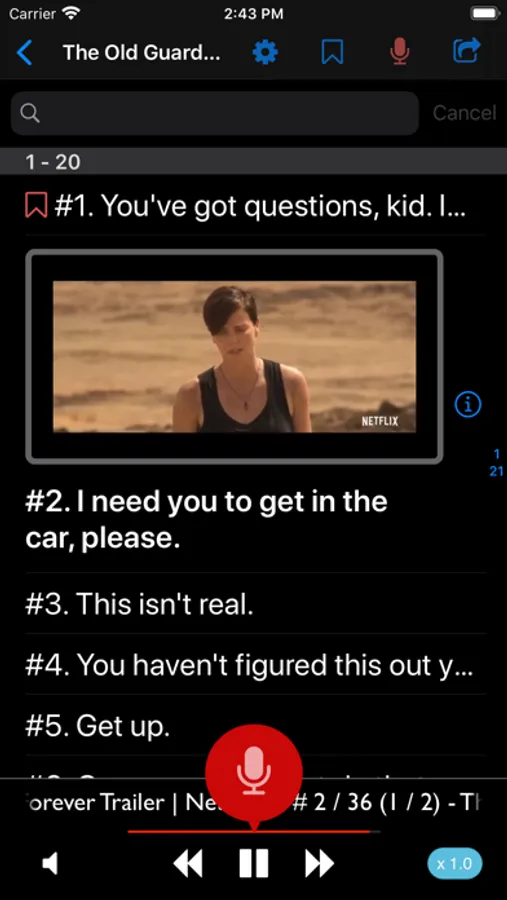
Speaking practice is essential in language learning. Using the “Repeat Player” menu, listen to phrases in videos and practice pronunciation with shadowing techniques. The key to improving speaking skills is practicing as accurately and frequently as possible. You can also check pronunciation accuracy through the speech recognition feature.
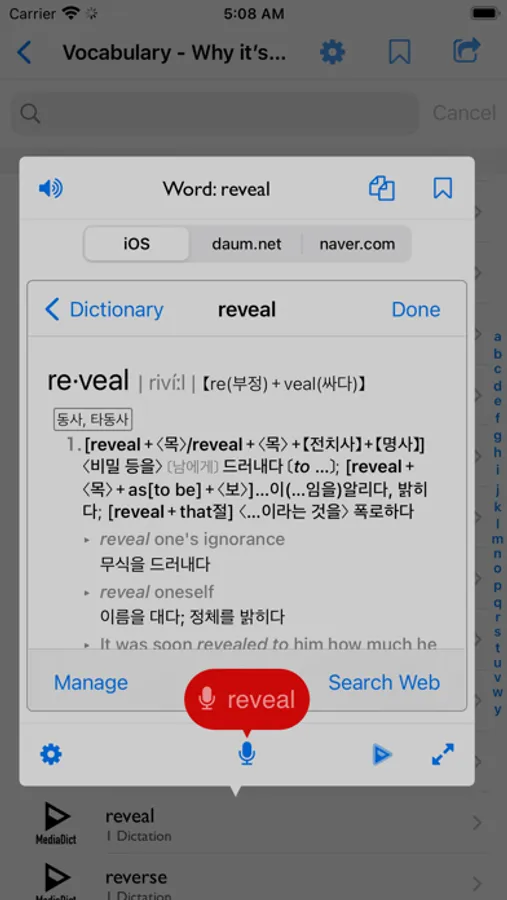
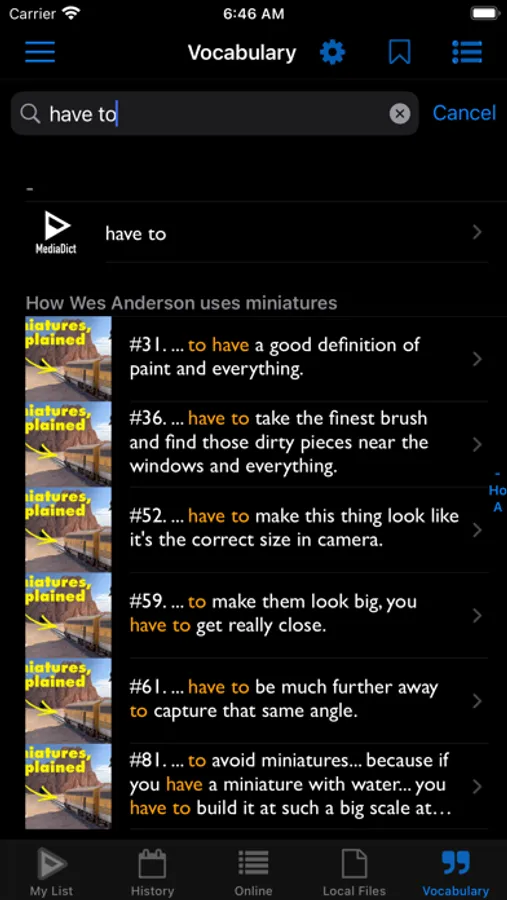
You can list all the words included in the content and easily access their meanings through more than 20 online dictionaries. The platform also provides a speech recognition feature for practicing pronunciation of individual words.
MediaDict’s video player supports bilingual subtitles, displaying both original and translated captions. After completing dictation, activate the “RewindSub” option to review the content. “RewindSub” hides subtitles by default and only shows them for the length of the rewind if you couldn’t catch a section. Tap the rewind button or double-tap the left side of the video screen to use this feature, which helps you assess your listening skills for the content.
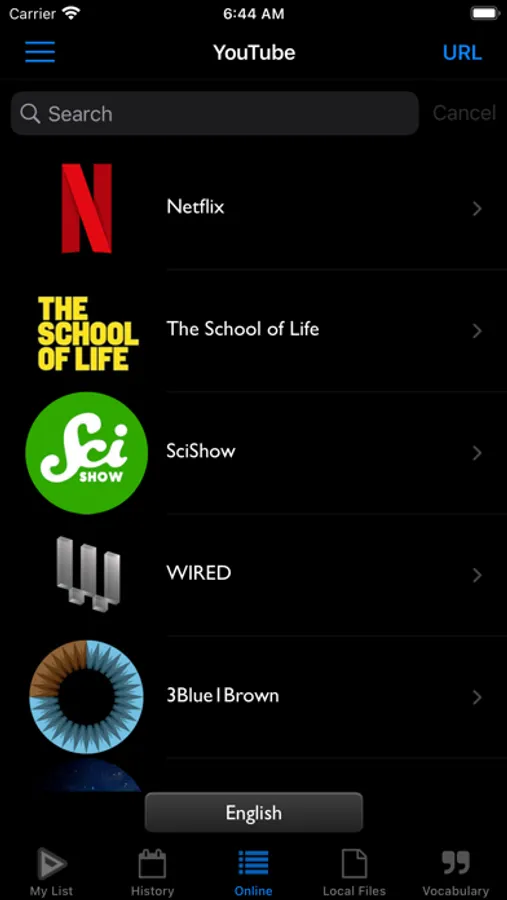
With MediaDict, there is no limit to study materials. Over 100,000 YouTube resources are available, with more added continuously.
Know of YouTube content with captions in the audio language? Use the YouTube URL input feature to turn it into study material.
Want to study using a movie or drama not available on YouTube? As long as you have the video and subtitle files, you can use the external file connection feature to make it a study resource.
Experience a language learning tool with limitless potential!
- Dictation for improving listening skills
- Speech recognition and shadowing for speaking practice
- Bilingual subtitle video player
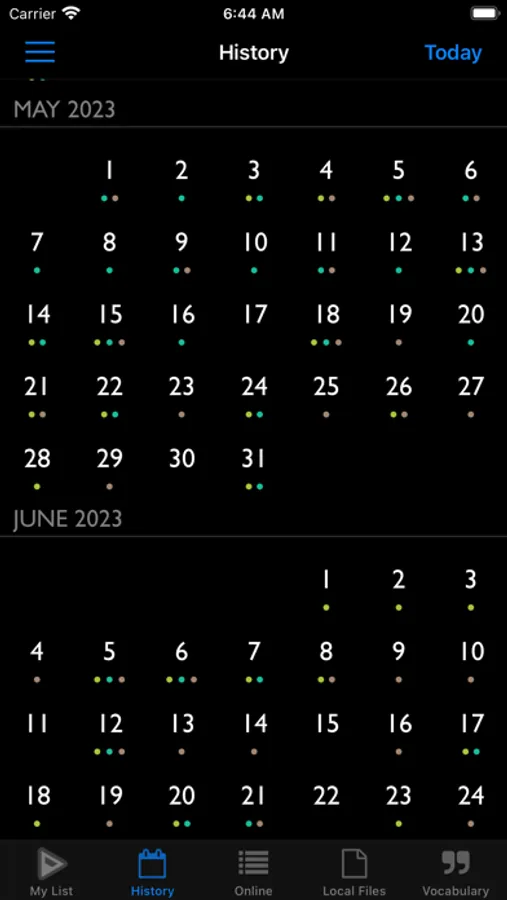
- Progress tracking by date
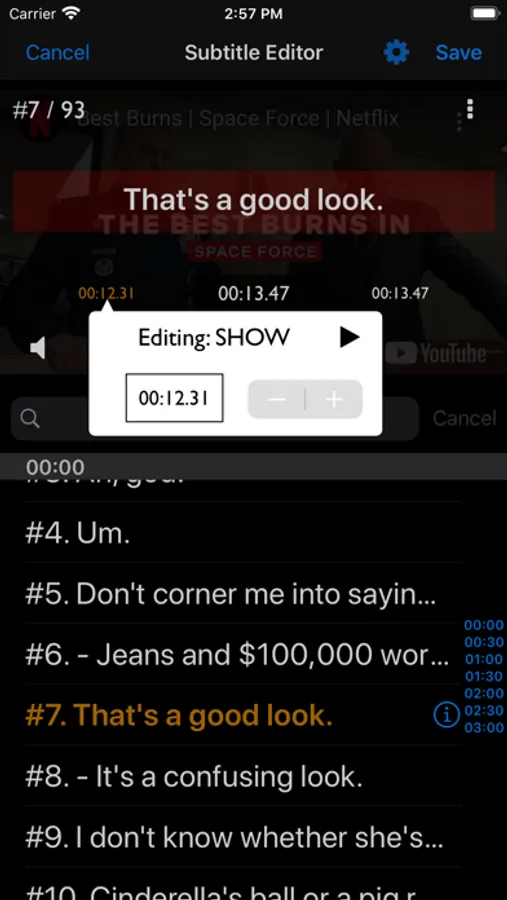
- Subtitle editing function
* MediaDict differs from MediaDict LITE in the following ways:
- No ads
- iCloud Support – Save your study history by date, bookmarks, and learning progress to the cloud and sync your learning seamlessly between iPhone and iPad.
- Unlimited dictation
- Unlimited shadowing
- RewindSub - Feature to assess your listening skills in the ‘Video Player’
* More Information →
https://cocoswing.com/mediadict/
Study over 50 languages, including English, Korean, Spanish, French, Japanese, Chinese, Russian, German, Vietnamese, Turkish, Italian, and more! Enjoy fun and diverse content to enhance your language learning experience.
MediaDict provides the most effective methods for language learning: dictation and shadowing.
In every language, certain words are hard to hear depending on surrounding words. Identifying the words you struggle to hear accurately helps you become familiar with their pronunciation, leading to effective improvement. The “MediaDictW” menu offers dictation exercises by arranging word order, while the “MediaDict” menu provides character-by-character dictation.
Speaking practice is essential in language learning. Using the “Repeat Player” menu, listen to phrases in videos and practice pronunciation with shadowing techniques. The key to improving speaking skills is practicing as accurately and frequently as possible. You can also check pronunciation accuracy through the speech recognition feature.
You can list all the words included in the content and easily access their meanings through more than 20 online dictionaries. The platform also provides a speech recognition feature for practicing pronunciation of individual words.
MediaDict’s video player supports bilingual subtitles, displaying both original and translated captions. After completing dictation, activate the “RewindSub” option to review the content. “RewindSub” hides subtitles by default and only shows them for the length of the rewind if you couldn’t catch a section. Tap the rewind button or double-tap the left side of the video screen to use this feature, which helps you assess your listening skills for the content.
With MediaDict, there is no limit to study materials. Over 100,000 YouTube resources are available, with more added continuously.
Know of YouTube content with captions in the audio language? Use the YouTube URL input feature to turn it into study material.
Want to study using a movie or drama not available on YouTube? As long as you have the video and subtitle files, you can use the external file connection feature to make it a study resource.
Experience a language learning tool with limitless potential!
- Dictation for improving listening skills
- Speech recognition and shadowing for speaking practice
- Bilingual subtitle video player
- Progress tracking by date
- Subtitle editing function
* MediaDict differs from MediaDict LITE in the following ways:
- No ads
- iCloud Support – Save your study history by date, bookmarks, and learning progress to the cloud and sync your learning seamlessly between iPhone and iPad.
- Unlimited dictation
- Unlimited shadowing
- RewindSub - Feature to assess your listening skills in the ‘Video Player’
* More Information →
https://cocoswing.com/mediadict/








![[Repete] icon](https://apprecs.org/ios/img/icons/webp/150/687956167/t5E4bsqEu5toifL4NORSA9-wSlCBExoKyIJQAF83KkE-icon)