AppRecs review analysis
AppRecs rating 2.8. Trustworthiness 76 out of 100. Review manipulation risk 25 out of 100. Based on a review sample analyzed.
★★☆☆☆
2.8
AppRecs Rating
Ratings breakdown
5 star
33%
4 star
7%
3 star
20%
2 star
7%
1 star
33%
What to know
✓
Low review manipulation risk
25% review manipulation risk
✓
Credible reviews
76% trustworthiness score from analyzed reviews
About Video Self Timer
NEW ability to record in better quality (60 FPS) and slowmo (240 FPS) to create stunningly detailed videos of yourself and the action around you. Slowmos is especially handy to catch up on sports video recording like playing back your golf swing, baseball swing , cricket bat swing or bowling action. It is upto you how you use this app.
Video Self timer app allows you to be part of your videos, don't be left out recording the video when you can be part of it.
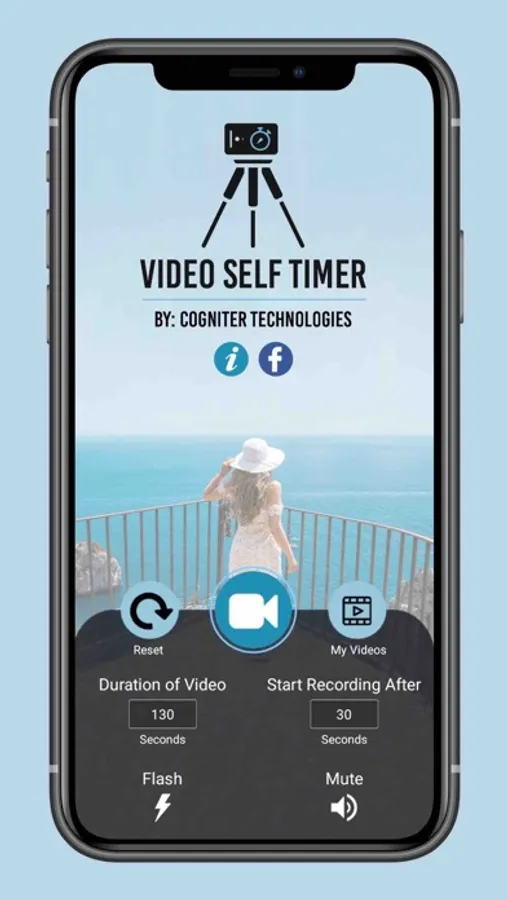
Video self timer allows you to set the duration of a video as well as set the time gap after which it starts recording the video.
You can control the flash or even disable sound recording for the video if needed.
The app gives a visual flash as well as an audio beep before recording starts and after recording is done so you know when the recording has started and ended, even if you are far away from the iPhone.
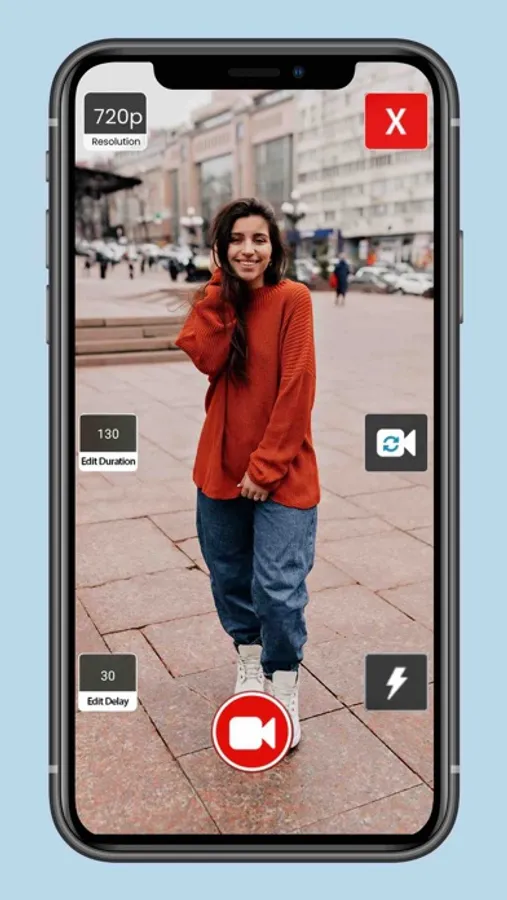
Use front or rear camera for recording, trim videos and share them on video sharing site as well as through Twitter, Mail and AirDrop.
Also you can set the quality of the video while recording.
Simple sweet and effective self timer for your videos.
Video Self timer app allows you to be part of your videos, don't be left out recording the video when you can be part of it.
Video self timer allows you to set the duration of a video as well as set the time gap after which it starts recording the video.
You can control the flash or even disable sound recording for the video if needed.
The app gives a visual flash as well as an audio beep before recording starts and after recording is done so you know when the recording has started and ended, even if you are far away from the iPhone.
Use front or rear camera for recording, trim videos and share them on video sharing site as well as through Twitter, Mail and AirDrop.
Also you can set the quality of the video while recording.
Simple sweet and effective self timer for your videos.