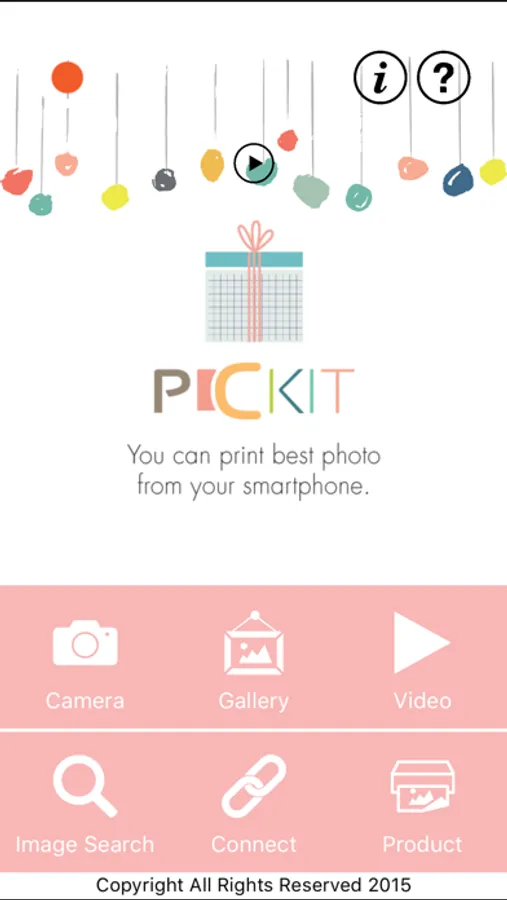
With this photo printing app, you can select, edit, and print images from your smartphone or tablet using a PICKIT printer via WiFi. Includes image editing tools and printer firmware update instructions.
AppRecs review analysis
AppRecs rating 1.5. Trustworthiness 72 out of 100. Review manipulation risk 27 out of 100. Based on a review sample analyzed.
★☆☆☆☆
1.5
AppRecs Rating
Ratings breakdown
5 star
10%
4 star
4%
3 star
4%
2 star
4%
1 star
79%
What to know
✓
Low review manipulation risk
27% review manipulation risk
⚠
Mixed user feedback
Average 1.6★ rating suggests room for improvement
⚠
High negative review ratio
83% of sampled ratings are 1–2 stars
About PicKit Printer
Note:
- A genuine PICKIT printer is required to print using this application. Please contact sales@prinics.com for more details.
- Default WiFi password is "12345678".
Easily print amazing photos with the PICKIT printer via WiFi using this application.
The "PICKIT" photo printer can be used to print images from smartphones by simply printing via Wi-Fi. You can take and edit pictures on smartphones or tablets. This portable PICKIT printer will instantly print your precious moments.
1. Turn on the printer.
2. Find the WiFi (DIRECT-Cube-xxxx) (pw:12345678) from the WiFi network list in Settings.
3. Select an image from the Gallery or take a photo with your smartphone.
4. Once image has been selected, edit the image with your personal preference.
5. Now press print when editting is completed.
6. When you print for the first time, it may need to update the firmware. Please follow the instruction shown on the screen of your smartphone.
7. I will take about a minute to fully print. Please do not pull the photo until it is completely printed.
Thank you for purchase PICKIT photo printer.
- A genuine PICKIT printer is required to print using this application. Please contact sales@prinics.com for more details.
- Default WiFi password is "12345678".
Easily print amazing photos with the PICKIT printer via WiFi using this application.
The "PICKIT" photo printer can be used to print images from smartphones by simply printing via Wi-Fi. You can take and edit pictures on smartphones or tablets. This portable PICKIT printer will instantly print your precious moments.
1. Turn on the printer.
2. Find the WiFi (DIRECT-Cube-xxxx) (pw:12345678) from the WiFi network list in Settings.
3. Select an image from the Gallery or take a photo with your smartphone.
4. Once image has been selected, edit the image with your personal preference.
5. Now press print when editting is completed.
6. When you print for the first time, it may need to update the firmware. Please follow the instruction shown on the screen of your smartphone.
7. I will take about a minute to fully print. Please do not pull the photo until it is completely printed.
Thank you for purchase PICKIT photo printer.