Touch Notation
Kawai Musical Instruments Manufacturing Co., Ltd.
3.0 ★
store rating
$9.99
AppRecs review analysis
AppRecs rating 2.8. Trustworthiness 80 out of 100. Review manipulation risk 29 out of 100. Based on a review sample analyzed.
★★☆☆☆
2.8
AppRecs Rating
Ratings breakdown
5 star
33%
4 star
10%
3 star
14%
2 star
5%
1 star
38%
What to know
✓
Low review manipulation risk
29% review manipulation risk
✓
Credible reviews
80% trustworthiness score from analyzed reviews
⚠
Mixed user feedback
Average 3.0★ rating suggests room for improvement
About Touch Notation
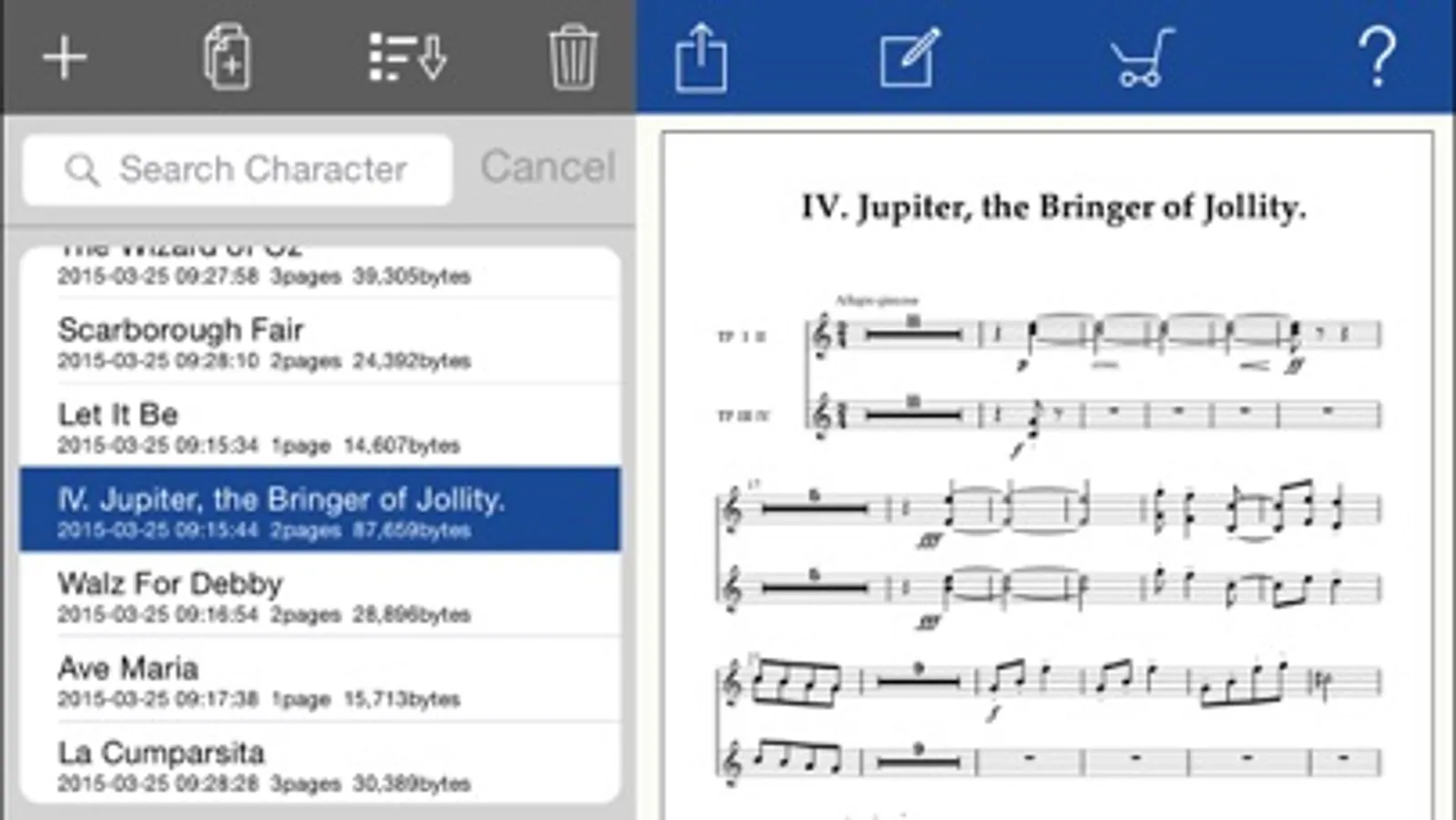
Touch Notation is a powerful musical score creation app that allows anyone to enjoy writing music using touch gestures.
In Japan, Touch Notation was selected as one of the ‘App Store Best of 2014’ apps, and held the No.1 spot in the iPad Paid App index for music apps for over two weeks.
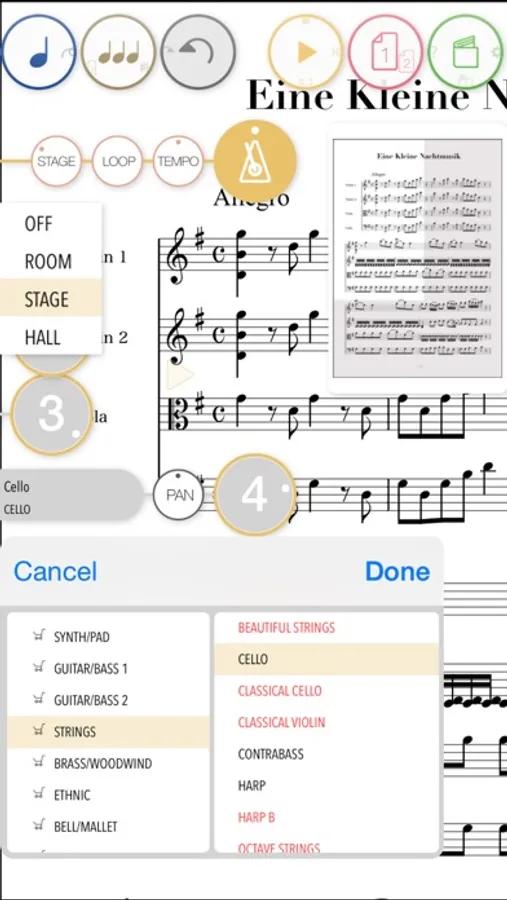
Up until now, musical score creation software has relied upon dragging individual notes from a palette onto staves. By contrast, Touch Notation allows musicians to draw directly onto the score using a finger or touch pen, and have their work immediately appear as beautifully written notation, then played back using the app’s 30 built-in instrument voices.
- A wide-range of functions accessible from a cleanly designed, intuitive user interface.
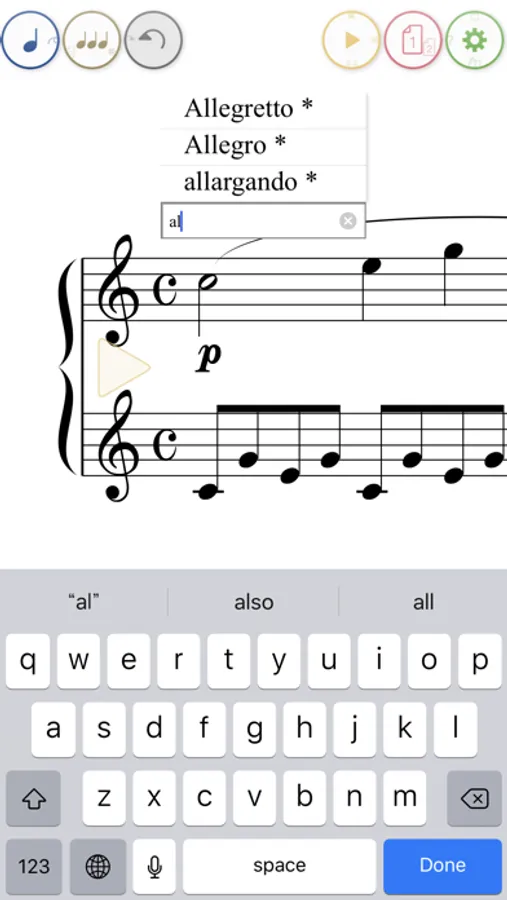
- Ability to enter musical expressions for adjusting tempo and dynamics.
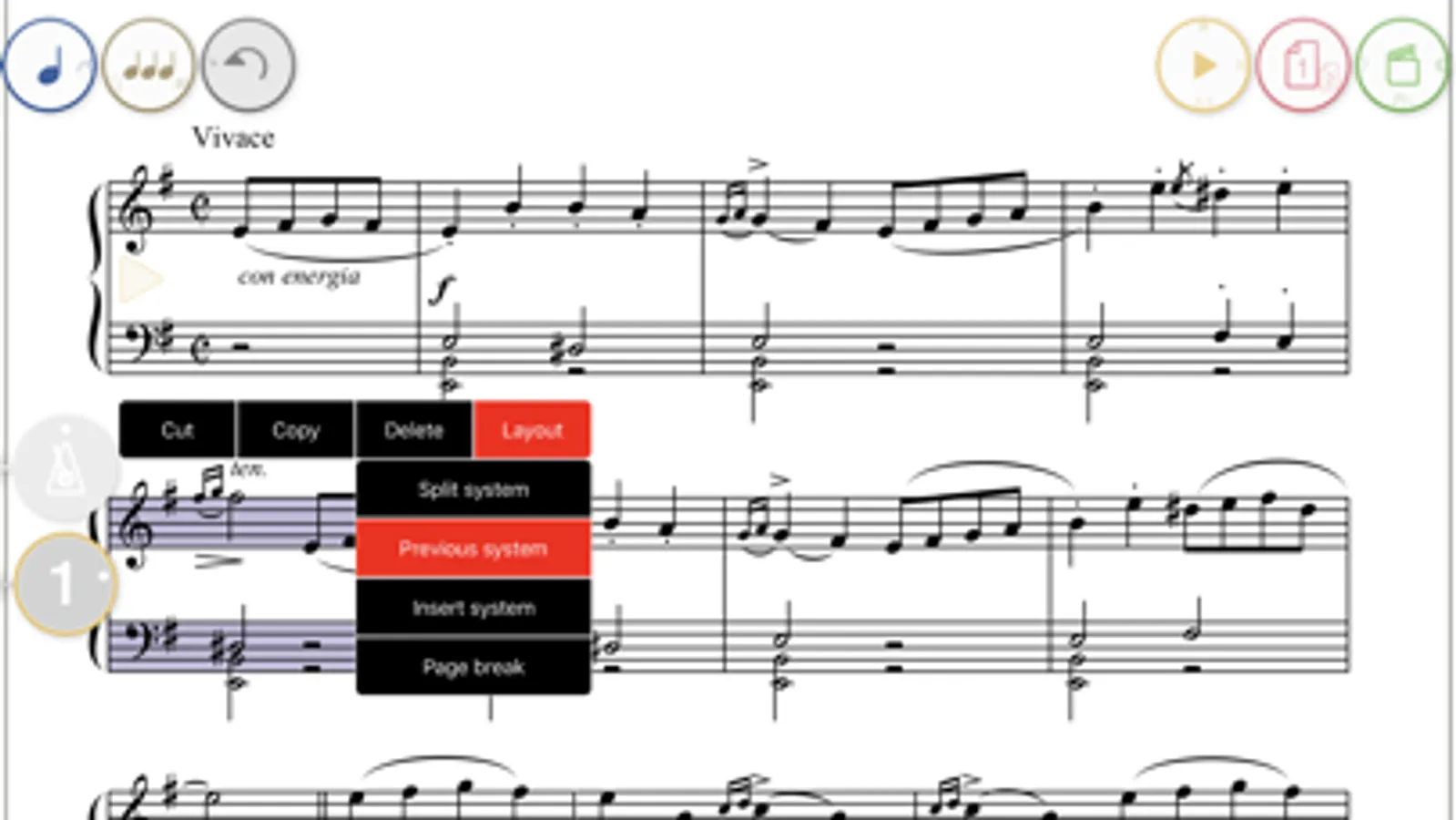
- Layout functions such as page breaks.
- Convenient transpose feature for raising/lowering the pitch of the entire score.
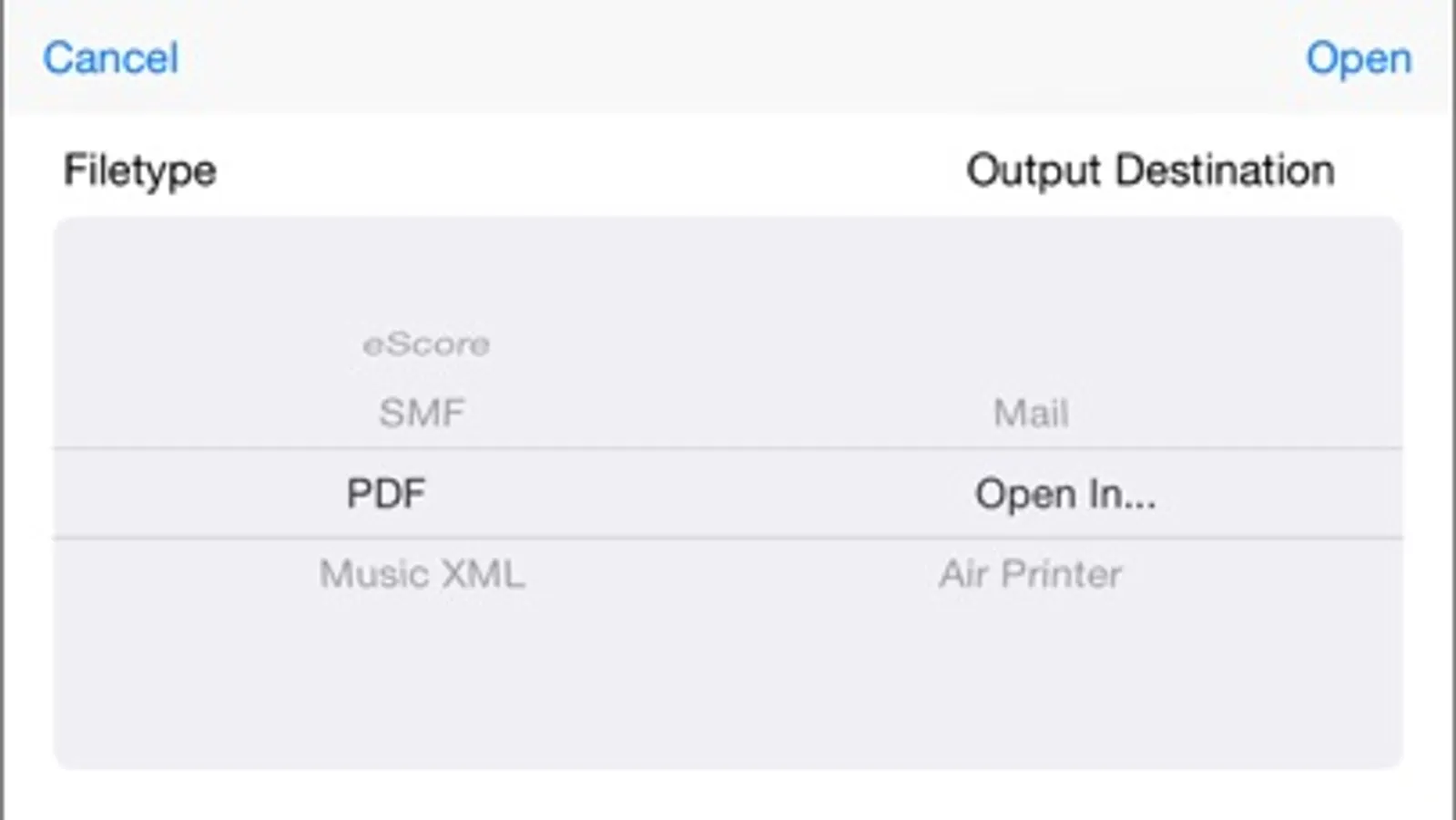
- Output scores using Air Print, or save to Dropbox in PDF, SMF, MusicXML, and ScoreMaker formats.
Touch Notation allows the following musical symbols to be entered by hand:
- Note, Rest (including dotted and double-dotted), Long Rest, Beam, Tuplet (Triplet)
- Grace Note
- Accidental, Tie, Slur
- Accent, Staccato, Tenuto, Fermata
- Trill, sfz, Arpeggio, Pedal, Senza
- Metronome symbol
- Crescendo, Decrescendo
- Dynamics symbols (ppp~fff)
- Octave symbol
- Repeat brackets
- Repeat marks (D.C./Fine/D.S./Segno/Coda/to Coda)
- Clefs (Treble Clef/Bass Clef/C Clef/Percussion Clef)
- Key signature
- Time signature
- Bar lines (repeat marks)
- Abbreviation
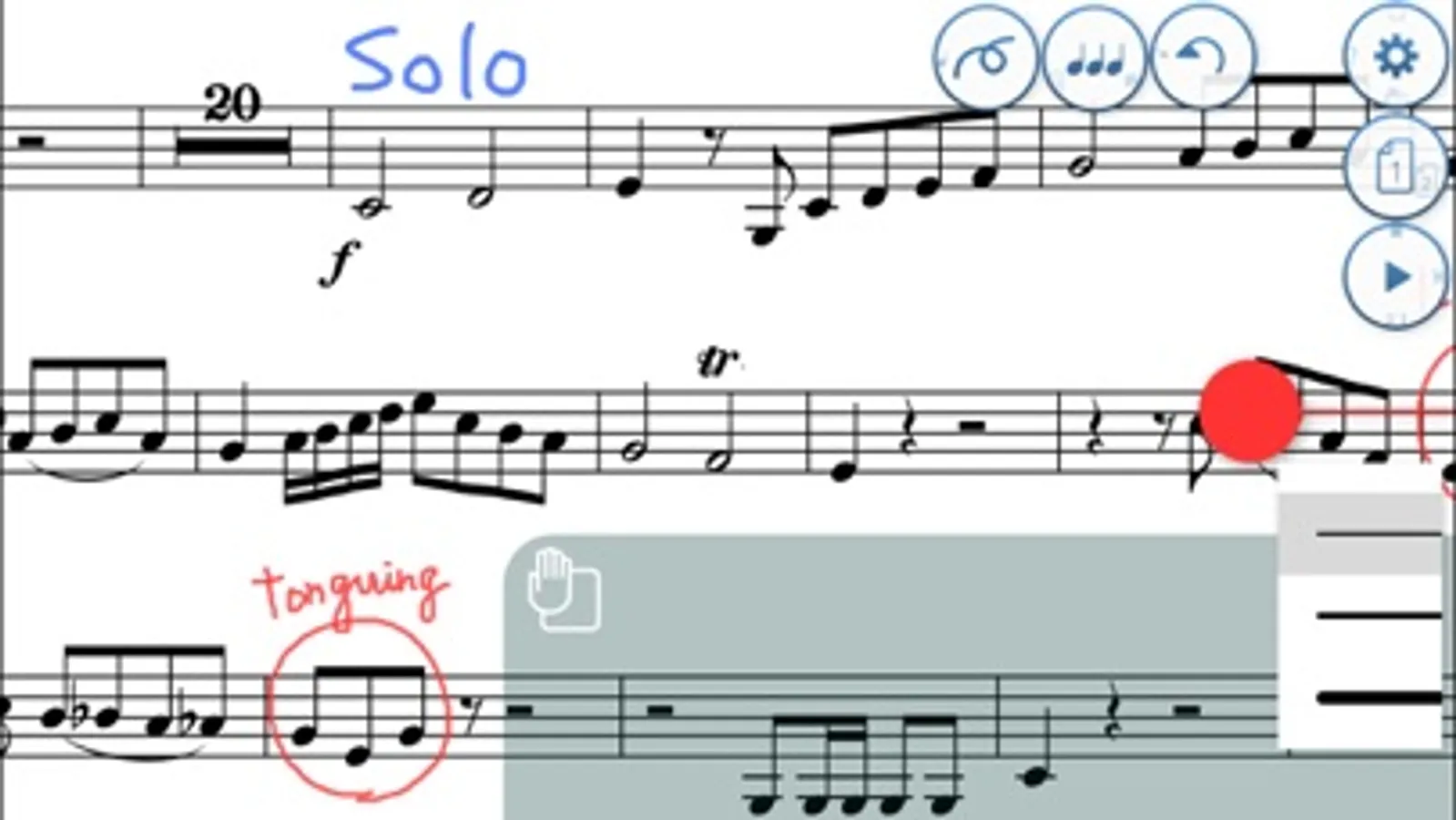
Lyrics and other musical expressions (‘Dolce’, ‘Tranquillo’, etc.) can be added using text input, while comments and memos can also be written freehand directly onto the score.
* Drum notation is supported, but other types such as rhythm notation and tab notation are not supported.
* Older devices may experience stuttering when playing complicated scores with many simultaneous notes.
In Japan, Touch Notation was selected as one of the ‘App Store Best of 2014’ apps, and held the No.1 spot in the iPad Paid App index for music apps for over two weeks.
Up until now, musical score creation software has relied upon dragging individual notes from a palette onto staves. By contrast, Touch Notation allows musicians to draw directly onto the score using a finger or touch pen, and have their work immediately appear as beautifully written notation, then played back using the app’s 30 built-in instrument voices.
- A wide-range of functions accessible from a cleanly designed, intuitive user interface.
- Ability to enter musical expressions for adjusting tempo and dynamics.
- Layout functions such as page breaks.
- Convenient transpose feature for raising/lowering the pitch of the entire score.
- Output scores using Air Print, or save to Dropbox in PDF, SMF, MusicXML, and ScoreMaker formats.
Touch Notation allows the following musical symbols to be entered by hand:
- Note, Rest (including dotted and double-dotted), Long Rest, Beam, Tuplet (Triplet)
- Grace Note
- Accidental, Tie, Slur
- Accent, Staccato, Tenuto, Fermata
- Trill, sfz, Arpeggio, Pedal, Senza
- Metronome symbol
- Crescendo, Decrescendo
- Dynamics symbols (ppp~fff)
- Octave symbol
- Repeat brackets
- Repeat marks (D.C./Fine/D.S./Segno/Coda/to Coda)
- Clefs (Treble Clef/Bass Clef/C Clef/Percussion Clef)
- Key signature
- Time signature
- Bar lines (repeat marks)
- Abbreviation
Lyrics and other musical expressions (‘Dolce’, ‘Tranquillo’, etc.) can be added using text input, while comments and memos can also be written freehand directly onto the score.
* Drum notation is supported, but other types such as rhythm notation and tab notation are not supported.
* Older devices may experience stuttering when playing complicated scores with many simultaneous notes.