With this app, you can transfer audio samples from your iPhone to your volca sample, record, trim, and normalize recordings. Includes compatibility with various audio file formats, factory presets, and drag-and-drop file sharing.
AppRecs review analysis
AppRecs rating 1.8. Trustworthiness 81 out of 100. Review manipulation risk 23 out of 100. Based on a review sample analyzed.
★☆☆☆☆
1.8
AppRecs Rating
Ratings breakdown
5 star
13%
4 star
11%
3 star
21%
2 star
7%
1 star
48%
What to know
⚠
Ad complaints
Many low ratings mention excessive ads
⚠
Mixed user feedback
Average 2.3★ rating suggests room for improvement
⚠
High negative review ratio
55% of sampled ratings are 1–2 stars
About AudioPocket for volca sample
Send sample data directly from your iPhone to your volca sample!
AudioPocket enables you to program your volca sample memory with audio samples from the following:
• The app. Record on-the-spot with the app, where you can preview, trim and normalize your impromptu sample recording.
• Your computer. Using iTunes File Sharing, just drag and drop into “AudioPocket documents”
• Factory presets. Choose from a library sound-designed by KORG.
Compatible audio files:
“aif”, “aiff”, “wav”, “mp3”, “caf”, “aac”, “m4a”
What is volca sample?
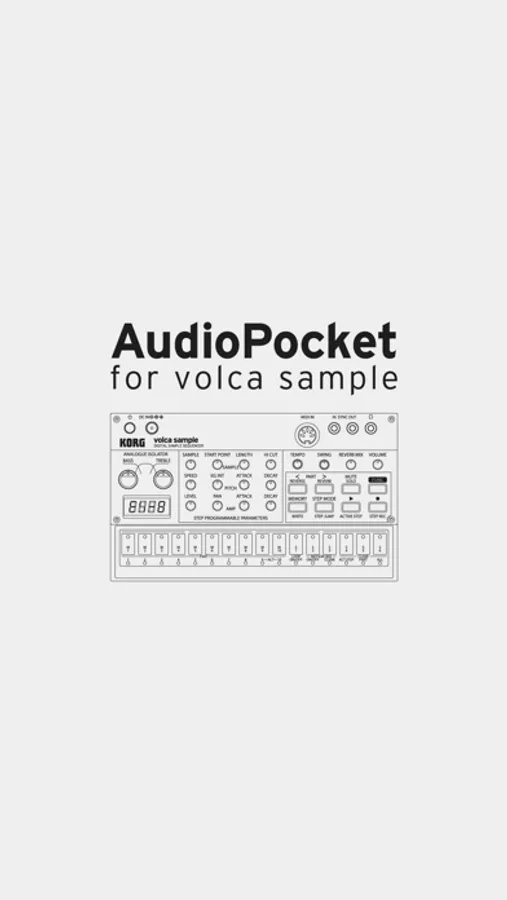
The volca sample is a sample sequencer that lets you edit and sequence up to 100 sampled sounds in real-time for commanding live performances. It’s powerful on its own or as an addition to any existing volca setup. The volca sample lets you recapture the excitement of the first generation of samplers where any sound - vocals, spoken words, ambient sound, or glitches – can be used for your creations!
See more at:
http://www.korg.com/volca_sample/
Notes:
● To use AudioPocket with the volca sample, the operating system for the volca sample must be "System Version 1.20 or later.
● You will need a stereo mini jack cable to connect your iPhone to your volca sample.
Follow us on:
● Facebook : http://www.facebook.com/korg.iapps
● Twitter : http://www.twitter.com/korg_iapps
AudioPocket enables you to program your volca sample memory with audio samples from the following:
• The app. Record on-the-spot with the app, where you can preview, trim and normalize your impromptu sample recording.
• Your computer. Using iTunes File Sharing, just drag and drop into “AudioPocket documents”
• Factory presets. Choose from a library sound-designed by KORG.
Compatible audio files:
“aif”, “aiff”, “wav”, “mp3”, “caf”, “aac”, “m4a”
What is volca sample?
The volca sample is a sample sequencer that lets you edit and sequence up to 100 sampled sounds in real-time for commanding live performances. It’s powerful on its own or as an addition to any existing volca setup. The volca sample lets you recapture the excitement of the first generation of samplers where any sound - vocals, spoken words, ambient sound, or glitches – can be used for your creations!
See more at:
http://www.korg.com/volca_sample/
Notes:
● To use AudioPocket with the volca sample, the operating system for the volca sample must be "System Version 1.20 or later.
● You will need a stereo mini jack cable to connect your iPhone to your volca sample.
Follow us on:
● Facebook : http://www.facebook.com/korg.iapps
● Twitter : http://www.twitter.com/korg_iapps