MakeShift Live
AppColony
2.8 ★
store rating
Free
AppRecs review analysis
AppRecs rating 2.6. Trustworthiness 71 out of 100. Review manipulation risk 24 out of 100. Based on a review sample analyzed.
★★☆☆☆
2.6
AppRecs Rating
Ratings breakdown
5 star
40%
4 star
0%
3 star
0%
2 star
20%
1 star
40%
What to know
✓
Low review manipulation risk
24% review manipulation risk
✓
Credible reviews
71% trustworthiness score from analyzed reviews
⚠
Mixed user feedback
Average 2.8★ rating suggests room for improvement
About MakeShift Live
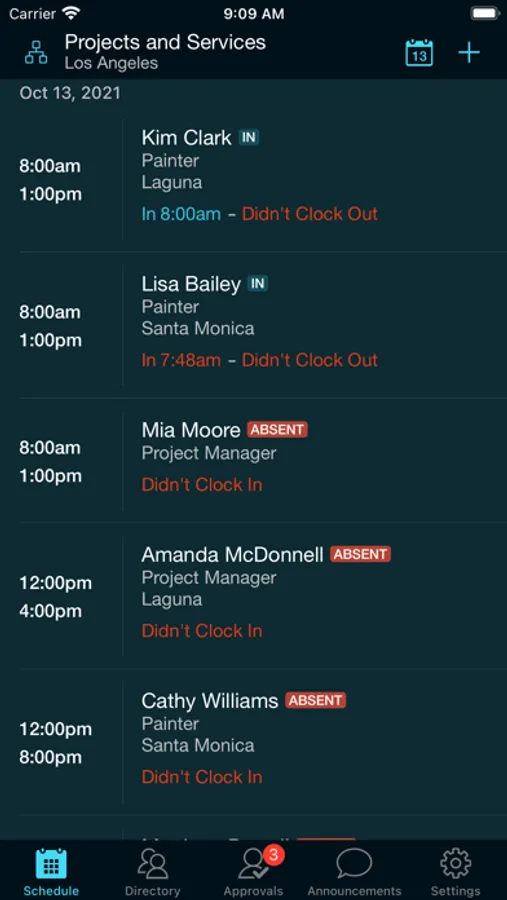
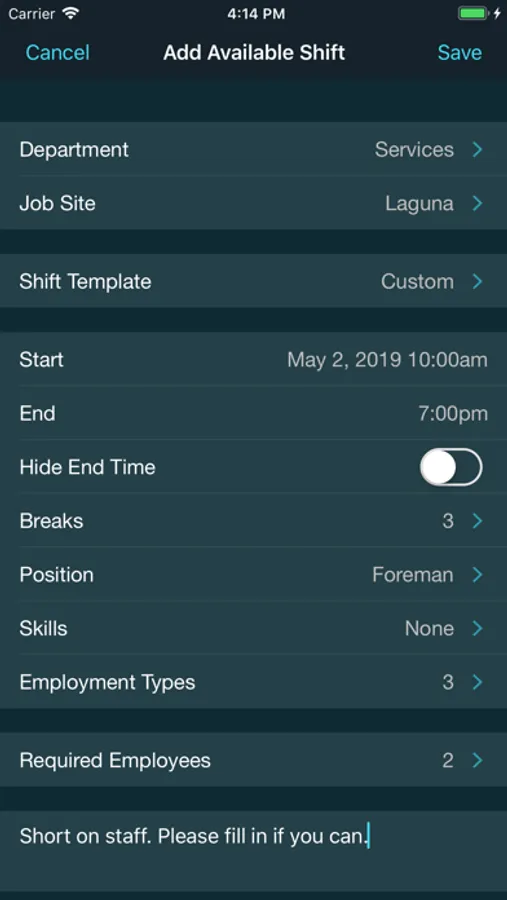
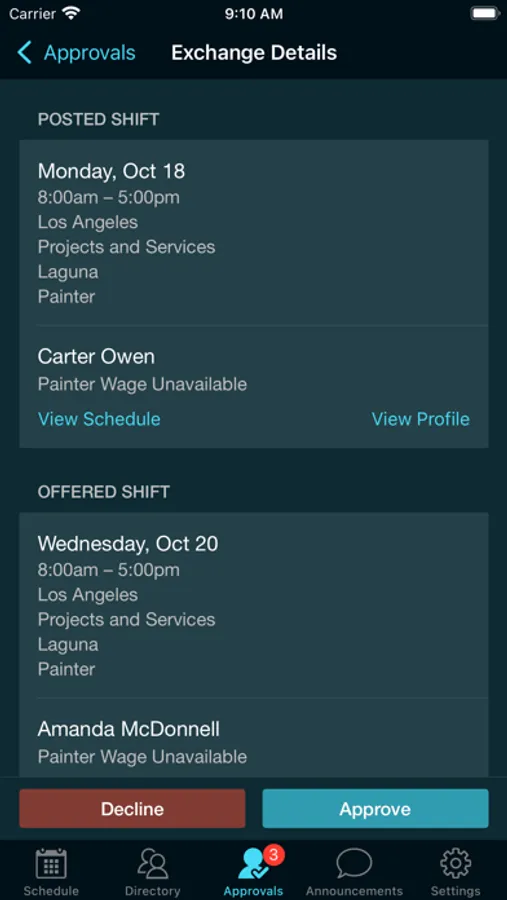
MakeShift Live brings all of MakeShift’s web features for managers to your iPhone and iPad. It’s the easiest way to manage your staff on the fly, letting you see who’s working, see who’s available, create and assign available shifts, get notified when employees are late, approve time off requests and more.
Please note: in order to use MakeShift Live, your company must be a MakeShift customer. Your company will send you an email with an invite to activate your account. This app is only for administrators and managers. If you’re looking for the MakeShift app for employees, please search the AppStore for "MakeShift - People First Scheduling."
Features
• Quickly see who’s currently working and who’s scheduled to work on any given day
• View employee profiles, schedules and availability
• Create and assign available shifts
• Get notified when employees clock in late
• View and edit timesheets
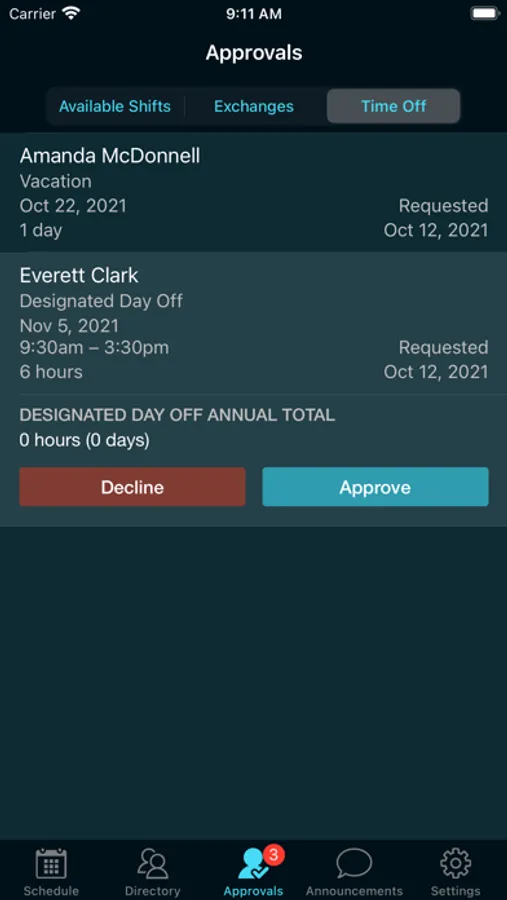
• Approve time off, shift exchanges and available shift requests
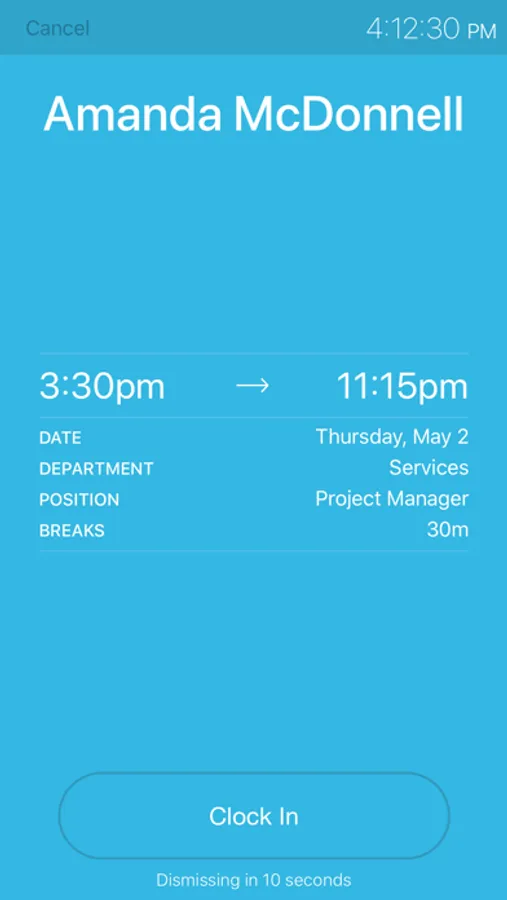
• Use “Time Clock Mode” to let employees clock in and out
• So much more
Please note: in order to use MakeShift Live, your company must be a MakeShift customer. Your company will send you an email with an invite to activate your account. This app is only for administrators and managers. If you’re looking for the MakeShift app for employees, please search the AppStore for "MakeShift - People First Scheduling."
Features
• Quickly see who’s currently working and who’s scheduled to work on any given day
• View employee profiles, schedules and availability
• Create and assign available shifts
• Get notified when employees clock in late
• View and edit timesheets
• Approve time off, shift exchanges and available shift requests
• Use “Time Clock Mode” to let employees clock in and out
• So much more