
Electrical Layout Capture Assistant
Yuhsiu Lai
1.0 ★
store rating
$4.99
With this electrical layout capture assistant, you can create and edit electrical plans by placing symbols and capturing layouts on floor plans. Includes symbol picker, layout saving, and email sharing features.
About Electrical Layout Capture Assistant
This tool will assist you in creating your own electrical plans.
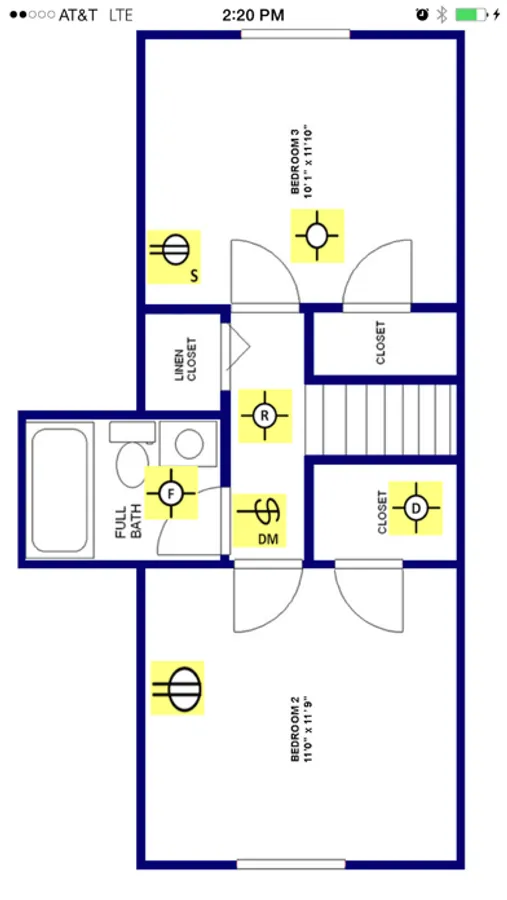
This app is most useful for capturing existing or new electrical layouts of residential and commercial dwellings.
You can now capture electrical plans in seconds and share them online instantly.
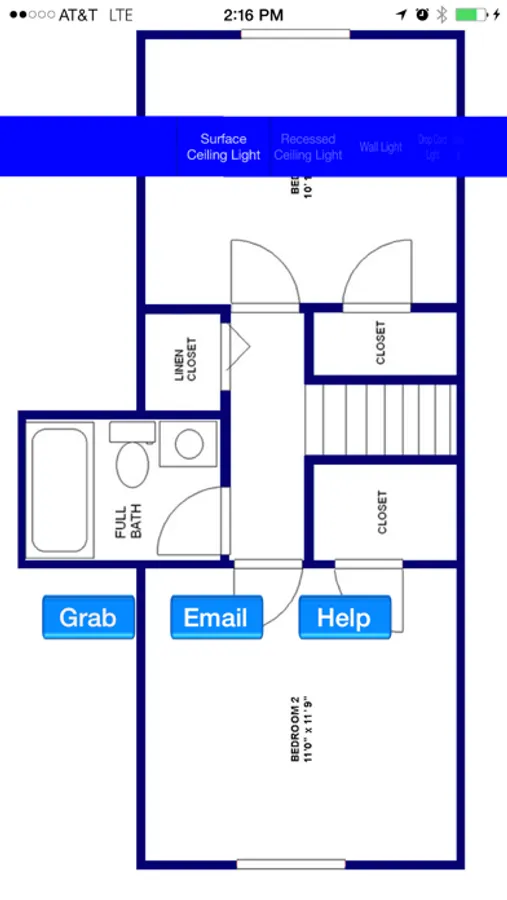
Simply single-tap with two fingers to bring up the symbol picker and grab any electrical symbol (lighting switch, receptacle, etc.)
Place symbols anywhere on the floor plans.
Single-tap with three fingers to capture the layout you created and save for future use.
Email the layout you created and the components schedule in pdf format instantly.
How to use:
In order to utilize this app, you need to have the floor plan in pdf format. The floor plan can be loaded to this app from the Email app.
- Use Email app to open pdf-formatted floor plan (click on the attachment within email and choose this app to open)
- Single-tap with two fingers: Bring up symbol picker and action buttons
- Single-tap with three fingers: Save screenshot of the layout in Photos library
- Grab button will add the symbol selected in pickerview to the layout.
- Double-tap with single finger on a symbol: Remove the symbol
- Singe-tap with one finger will remove symbol picker and action buttons
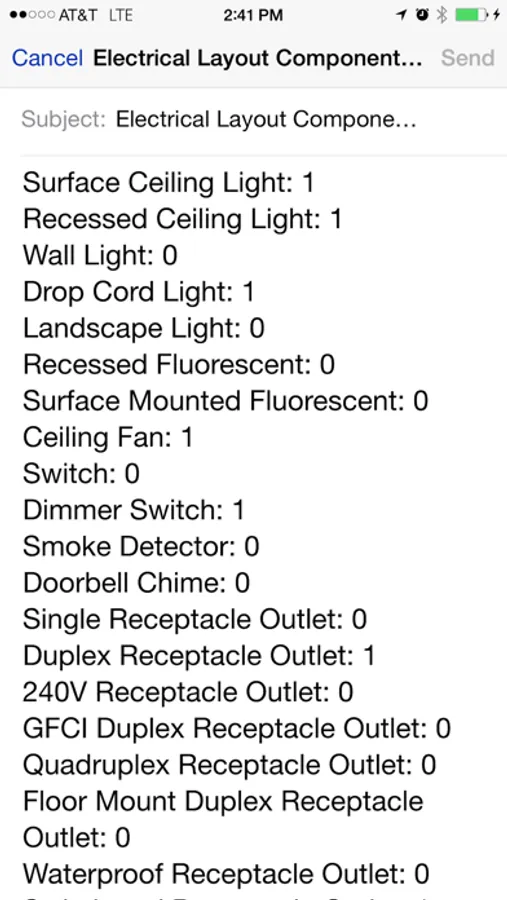
- Email button will generate a schedule (list) of components (symbols) used in an email
This app is developed and tested for all sizes and releases of iPhone and iPad.
This app is most useful for capturing existing or new electrical layouts of residential and commercial dwellings.
You can now capture electrical plans in seconds and share them online instantly.
Simply single-tap with two fingers to bring up the symbol picker and grab any electrical symbol (lighting switch, receptacle, etc.)
Place symbols anywhere on the floor plans.
Single-tap with three fingers to capture the layout you created and save for future use.
Email the layout you created and the components schedule in pdf format instantly.
How to use:
In order to utilize this app, you need to have the floor plan in pdf format. The floor plan can be loaded to this app from the Email app.
- Use Email app to open pdf-formatted floor plan (click on the attachment within email and choose this app to open)
- Single-tap with two fingers: Bring up symbol picker and action buttons
- Single-tap with three fingers: Save screenshot of the layout in Photos library
- Grab button will add the symbol selected in pickerview to the layout.
- Double-tap with single finger on a symbol: Remove the symbol
- Singe-tap with one finger will remove symbol picker and action buttons
- Email button will generate a schedule (list) of components (symbols) used in an email
This app is developed and tested for all sizes and releases of iPhone and iPad.
Electrical Layout Capture Assistant Screenshots
More from Yuhsiu Lai
Similar to Electrical Layout Capture Assistant







More from Yuhsiu Lai

Electrical Wiring Layout Diagrams
1.0
Electrical Layout Sample Drawings
1.0
Electrical Load Calc
2.8

Fire Alarm Systems Backup Power Calculations Guide
3.0

Electrical Grounding Sizing Calculators
1.0

Residential Building Code
1.0
Electrical Code Illustrations
5.0

Electrical Load Calculator & Electrical Plan Example
1.0