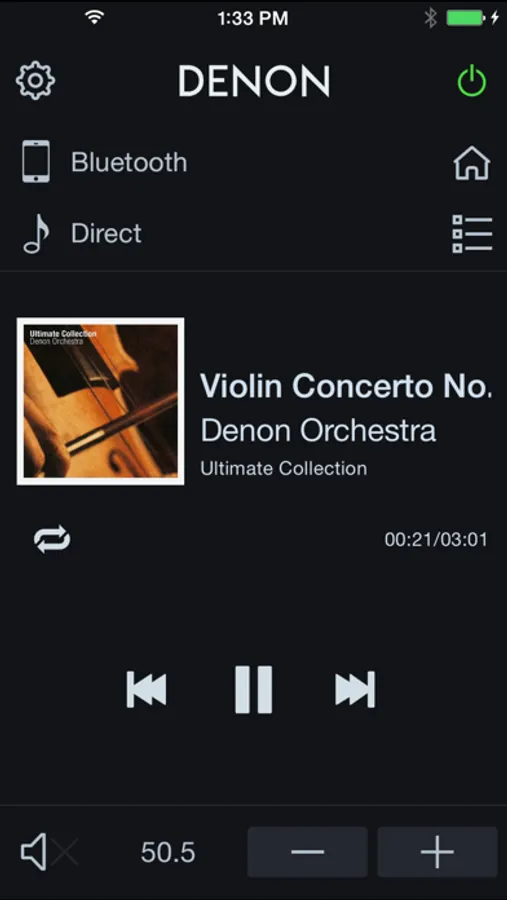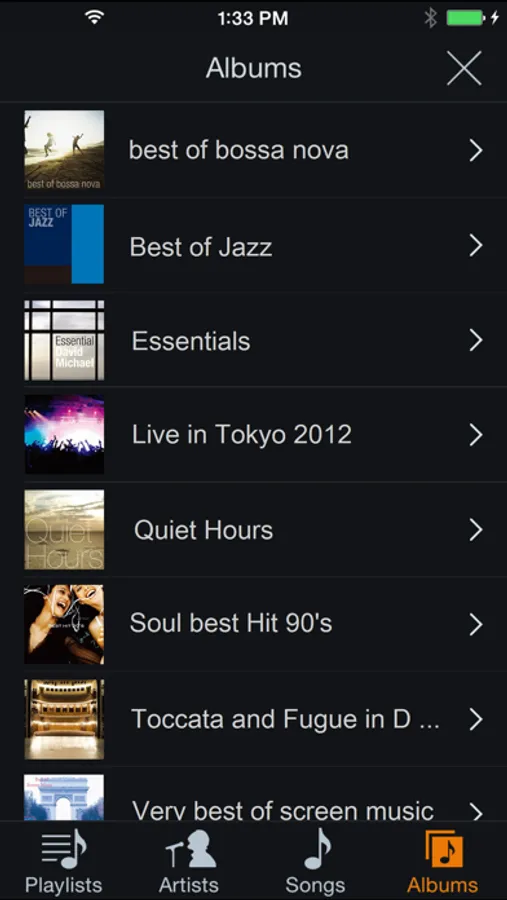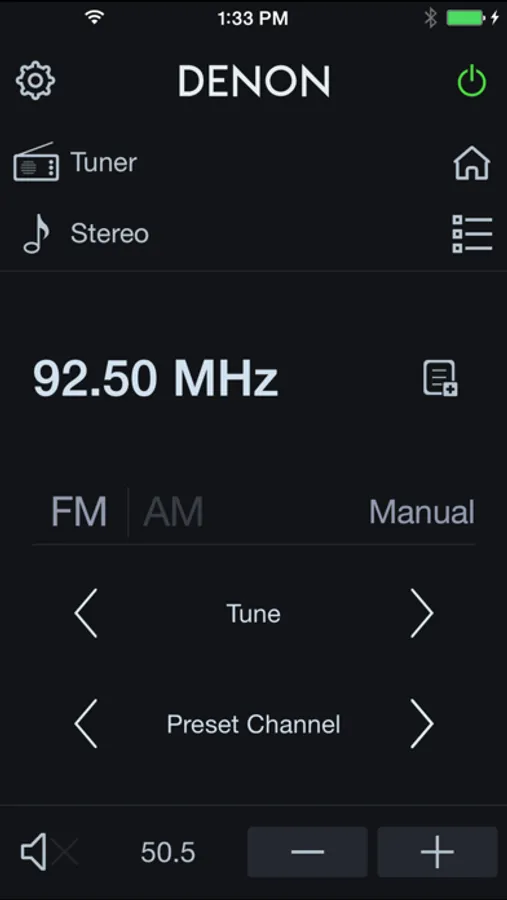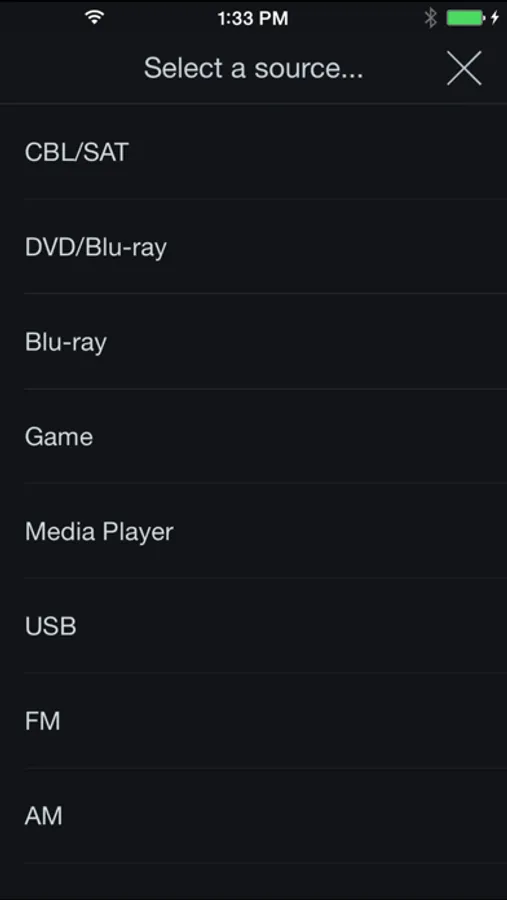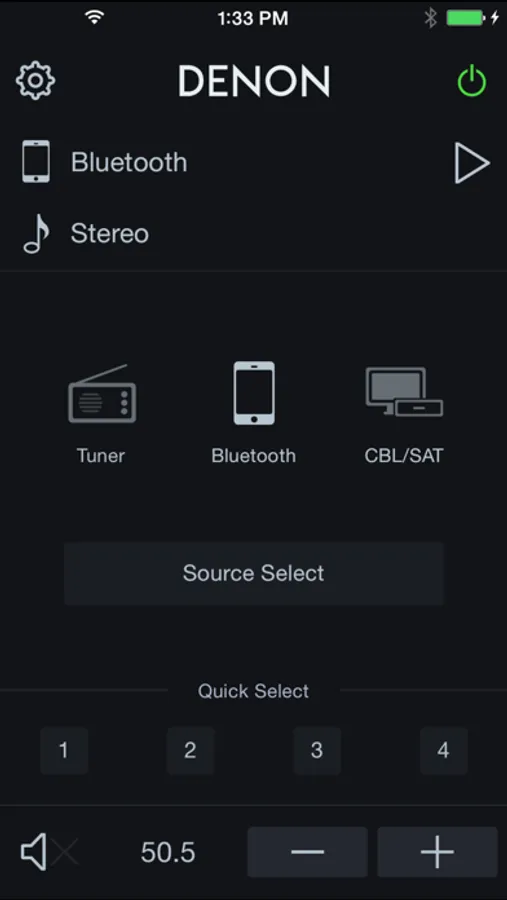
Control your Denon 500 Series Bluetooth AV Receiver using this app to adjust power, volume, input, sound modes, and playback. Includes tuner management, USB browsing, and multi-language support.
AppRecs review analysis
AppRecs rating 2.0. Trustworthiness 73 out of 100. Review manipulation risk 23 out of 100. Based on a review sample analyzed.
★☆☆☆☆
2.0
AppRecs Rating
Ratings breakdown
5 star
14%
4 star
7%
3 star
9%
2 star
11%
1 star
59%
What to know
✓
Low review manipulation risk
23% review manipulation risk
⚠
Mixed user feedback
Average 2.1★ rating suggests room for improvement
⚠
High negative review ratio
70% of sampled ratings are 1–2 stars
About Denon 500 Series Remote
Say hello to the Denon 500 Series Remote! This new App will give you an unprecedented level of command and control over your Denon 500 Series Bluetooth AV Receivers.
Control the basic functions of your Denon with power, volume, input, sound mode selection, Tuner and Playback of music in your mobile device or USB memory.
With the Denon 500 Series Remote, your iOS device just became an integral part of your home entertainment experience.
'Main Feature:
•Power On/Off, Volume Up/Down, Mute On/Off,
•Input Selection, Sound Mode Selection
•Tuner control (Band Selection, Tune Up/Down, Preset Up/Down, Preset Call/Memory)
•Quick Select Call or Memory(Long Press)
•Music Player for Internal Music files of your mobile device
•Browse and Playback Control for the USB memory which is connected to AVR
•Web Manual Link
•Multi-Language Support (English, French, German, Spanish, Italian, Dutch, Swedish, Polish, Russian, Japanese and Simplified Chinese. The OS language setting is automatically detected; when not available, English is selected.)
Compatible models: (Product availability varies depending on regions.)
Bluetooth AV Receiver: AVR-S510BT, AVR-S530BT, AVR-S540BT, AVR-S570BT
* Not compatible with Denon models other than those listed above.
Note:
Before you use this app, please connect your iOS device through the device’s Settings > Bluetooth menu with your AVR.
Control the basic functions of your Denon with power, volume, input, sound mode selection, Tuner and Playback of music in your mobile device or USB memory.
With the Denon 500 Series Remote, your iOS device just became an integral part of your home entertainment experience.
'Main Feature:
•Power On/Off, Volume Up/Down, Mute On/Off,
•Input Selection, Sound Mode Selection
•Tuner control (Band Selection, Tune Up/Down, Preset Up/Down, Preset Call/Memory)
•Quick Select Call or Memory(Long Press)
•Music Player for Internal Music files of your mobile device
•Browse and Playback Control for the USB memory which is connected to AVR
•Web Manual Link
•Multi-Language Support (English, French, German, Spanish, Italian, Dutch, Swedish, Polish, Russian, Japanese and Simplified Chinese. The OS language setting is automatically detected; when not available, English is selected.)
Compatible models: (Product availability varies depending on regions.)
Bluetooth AV Receiver: AVR-S510BT, AVR-S530BT, AVR-S540BT, AVR-S570BT
* Not compatible with Denon models other than those listed above.
Note:
Before you use this app, please connect your iOS device through the device’s Settings > Bluetooth menu with your AVR.