HS3Touch
HomeSeer
2.5 ★
store rating
Free
AppRecs review analysis
AppRecs rating 2.0. Trustworthiness 78 out of 100. Review manipulation risk 22 out of 100. Based on a review sample analyzed.
★☆☆☆☆
2.0
AppRecs Rating
Ratings breakdown
5 star
19%
4 star
15%
3 star
11%
2 star
7%
1 star
48%
What to know
✓
Low review manipulation risk
22% review manipulation risk
⚠
Ad complaints
Many low ratings mention excessive ads
⚠
Mixed user feedback
Average 2.5★ rating suggests room for improvement
About HS3Touch
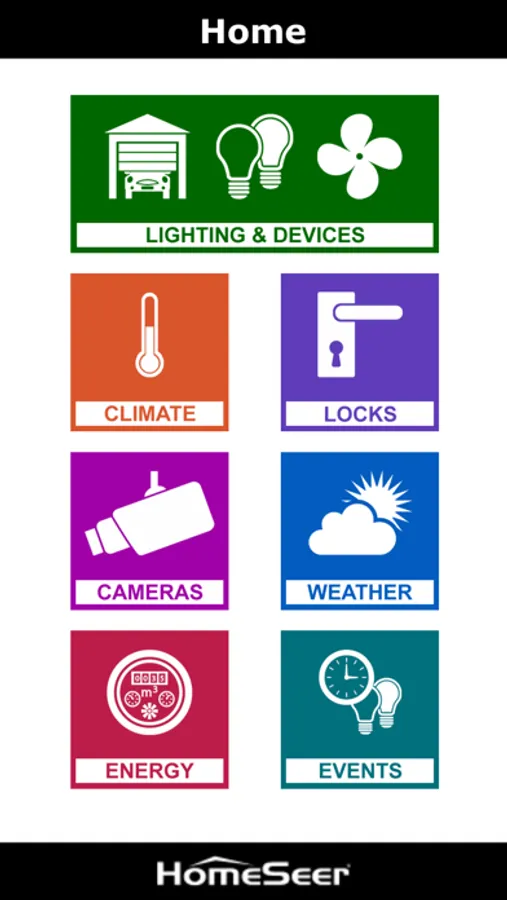
This HS3Touch client is NOT a stand-alone app. It is designed to work in tandem with HS3Touch Designer (a commercial Windows software program). If you do not have a license for HS3Touch Designer, please install HomeSeer Mobile (our standard free app) instead.
System Requirements:
• Any HS3 or HS3PRO-powered HomeSeer system (including all HomeTrollers)
• HomeSeer HS3Touch Designer
• MyHomeSeer-Remote cloud service account
Installation:
• Ensure that your HomeSeer HS3 system is running
• Register for a Free MyHomeSeer-Remote account and add your HomeSeer license codes to that account
• Download and install the HSTouch client (this app) on your mobile device(s)
• Open your IOS settings, find HSTouch and enter your MyHomeSeer username and password
• Launch this app and connect using MyHomeSeer. Your system should now be accessible!
• App will automatically load a default project based on the type of IOS device you are using.
System Requirements:
• Any HS3 or HS3PRO-powered HomeSeer system (including all HomeTrollers)
• HomeSeer HS3Touch Designer
• MyHomeSeer-Remote cloud service account
Installation:
• Ensure that your HomeSeer HS3 system is running
• Register for a Free MyHomeSeer-Remote account and add your HomeSeer license codes to that account
• Download and install the HSTouch client (this app) on your mobile device(s)
• Open your IOS settings, find HSTouch and enter your MyHomeSeer username and password
• Launch this app and connect using MyHomeSeer. Your system should now be accessible!
• App will automatically load a default project based on the type of IOS device you are using.