AppRecs review analysis
AppRecs rating 1.0. Trustworthiness 65 out of 100. Review manipulation risk 21 out of 100. Based on a review sample analyzed.
★☆☆☆☆
1.0
AppRecs Rating
Ratings breakdown
5 star
0%
4 star
0%
3 star
0%
2 star
0%
1 star
100%
What to know
✓
Low review manipulation risk
21% review manipulation risk
⚠
Mixed user feedback
Average 1.0★ rating suggests room for improvement
About Titan Remote V9
The Titan Remote works alongside your Avolites Titan lighting console to provide moving light control from your iPhone or iPod Touch.
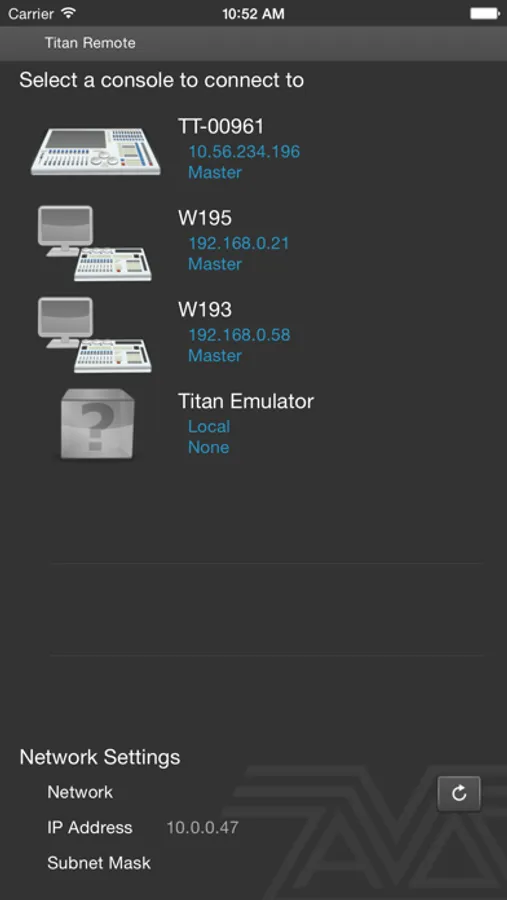
Avolites designs and manufacturers lighting consoles for use in the entertainment industry. The Avolites range of lighting consoles lead the world for fast and intuitive moving light control. To use the Titan Remote you must have an Avolites Titan console connected to your device via a WiFi network.
Titan Remote V9 works with any Titan Console running Titan Versions 9.x to connect to consoles running version 8.x use the original Titan Remote app.
Using this app you can connect to a console, Titan Mobile or Titan One PC and carry out the following functions:
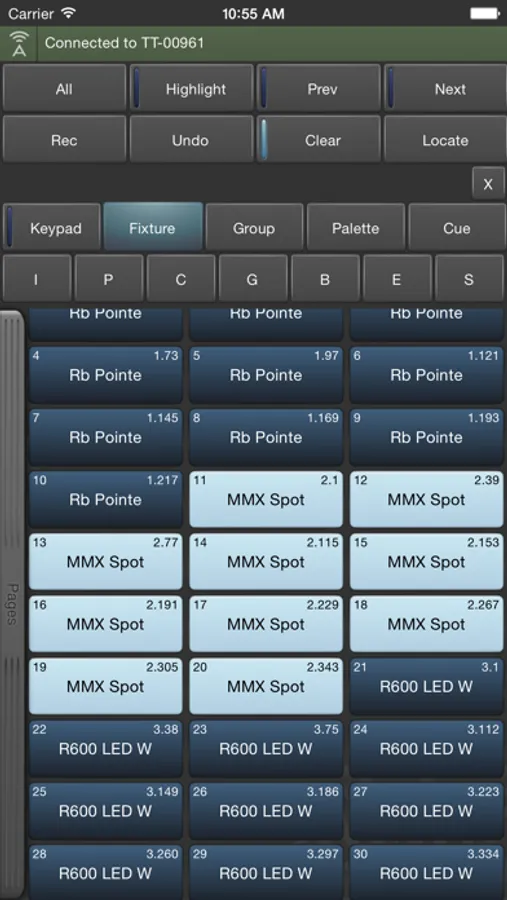
· Select and control fixtures
· Modify fixture attributes such as Dimmer, Pan or Tilt
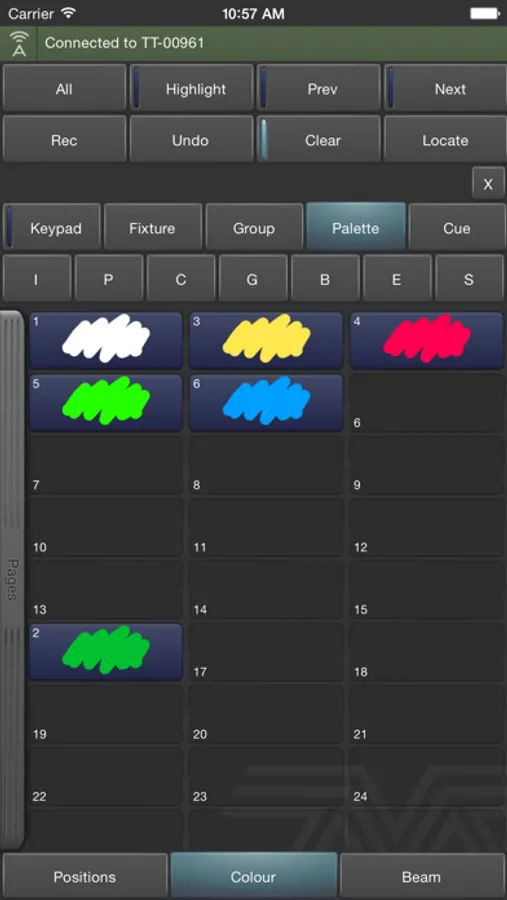
· Apply Palettes
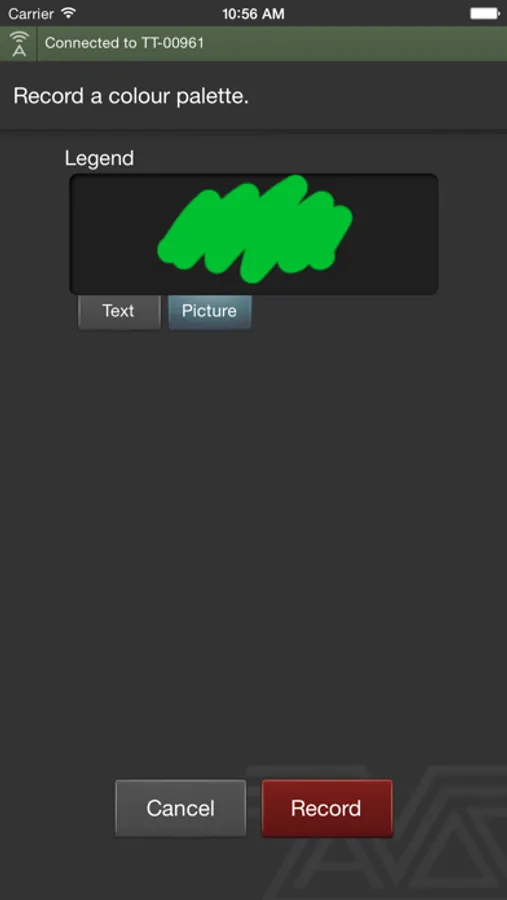
· Create and update palettes
· Play Cues
· Command style fixture selection and intensity control
· Quick Sketch Legends
· View DMX Address Patch
Any number of Titan remotes can be connected to a console and another lighting designer can work on the console while the remote is in use. The remote is easy to use as the screens look and feel like the full Avolites consoles with the same buttons and workflow as the console.
This app includes a demo mode to allow you out try it out without requiring a connection to a Titan console.
Avolites designs and manufacturers lighting consoles for use in the entertainment industry. The Avolites range of lighting consoles lead the world for fast and intuitive moving light control. To use the Titan Remote you must have an Avolites Titan console connected to your device via a WiFi network.
Titan Remote V9 works with any Titan Console running Titan Versions 9.x to connect to consoles running version 8.x use the original Titan Remote app.
Using this app you can connect to a console, Titan Mobile or Titan One PC and carry out the following functions:
· Select and control fixtures
· Modify fixture attributes such as Dimmer, Pan or Tilt
· Apply Palettes
· Create and update palettes
· Play Cues
· Command style fixture selection and intensity control
· Quick Sketch Legends
· View DMX Address Patch
Any number of Titan remotes can be connected to a console and another lighting designer can work on the console while the remote is in use. The remote is easy to use as the screens look and feel like the full Avolites consoles with the same buttons and workflow as the console.
This app includes a demo mode to allow you out try it out without requiring a connection to a Titan console.