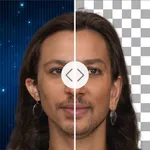
In this photo editing app, you can easily remove objects, perform batch cutouts, and replace backgrounds. Includes tools for intelligent selection, layer editing, and exporting transparent images.
AppRecs review analysis
AppRecs rating 3.6. Trustworthiness 63 out of 100. Review manipulation risk 35 out of 100. Based on a review sample analyzed.
★★★☆☆
3.6
AppRecs Rating
Ratings breakdown
5 star
80%
4 star
10%
3 star
4%
2 star
2%
1 star
4%
What to know
✓
High user satisfaction
80% of sampled ratings are 5 stars
✓
Authentic reviews
Natural distribution, no red flags
⚠
Review quality concerns
44% of sampled 5-star reviews are very short
About Photo Cut Out Editor
"makes editing photos on your iOS device easier than ever before" -TheiPhoneAppReview.com
The Most Convenient Cutout Tool!
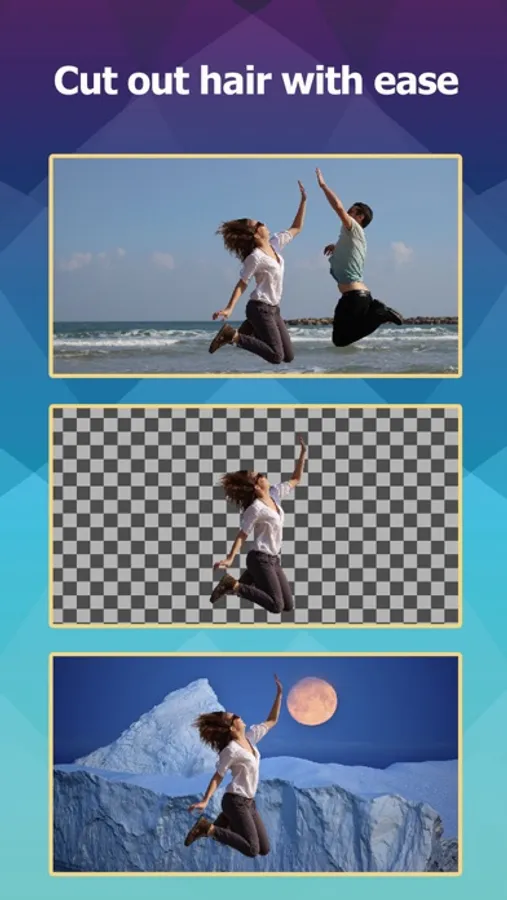
Use Photo Cutout to cut out any desired object in seconds, down to the hair and fur. You can export transparent PNGs or choose from millions of background images.
Batch cutouts can be performed and saved. You can freely choose to delete unwanted objects from photos. Advanced features for layer editing are available, supporting brushes, text, shapes, and various image editing tools.
Supports one-click cutout of people, animals, plants, industrial products, personal items, down to the object's fine hair and edges!
Supports one-click creation of ID photos, completely free!
Supports one-click replacement of the photo sky, turning cloudy days into sunny days, daytime into starry night, with thousands of skies available!
7 Cutout Tools
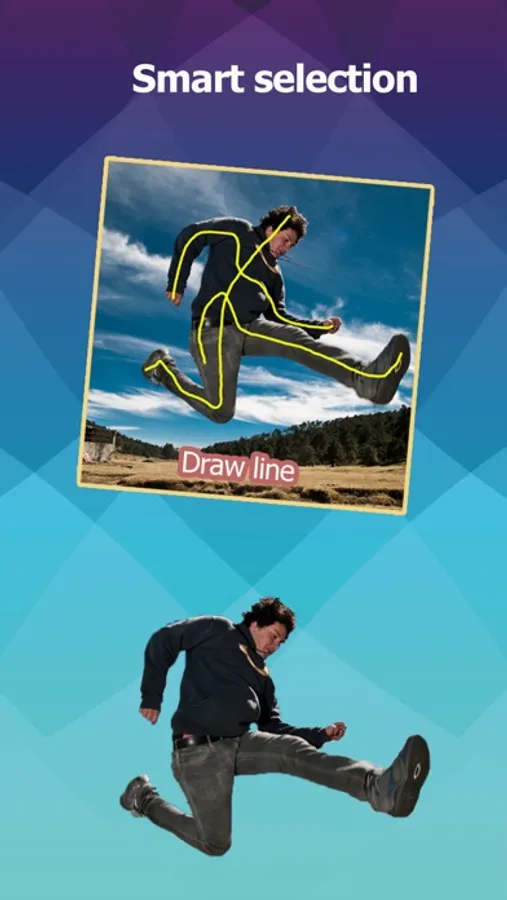
Provides both intelligent selection tools and manual selection tools, smart brush, brush, intelligent lasso, shapes, etc., totaling up to 7 types.
Cutout tasks can be completed with just a few clicks.
More than 40 Filters and Over 300 Predefined Effects
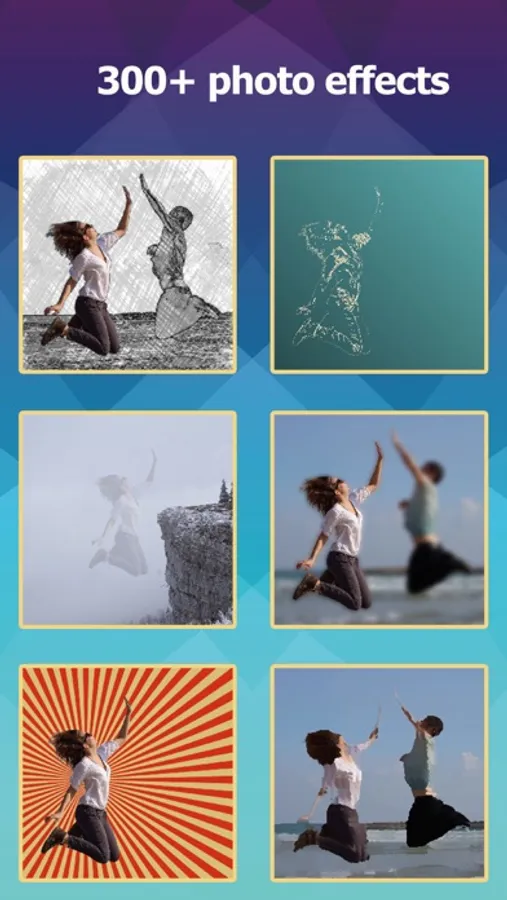
You can create shadows, highlights, outlines, modern art, cartoons, blur, glass, pencil, comic book, mosaic, and various other effects. Most effects are unique and distinctive.
21 Image Compositing Modes
7 Selection Adjustment Tools
Including feathering, expansion, transformation, gradient, etc.
Supports Import/Export of PSD Images
Fully Supports Transparent PNG Images
Supports importing transparent PNG images, supports exporting transparent PNG images
Supports importing transparent WEBP images, supports exporting transparent WEBP images
Supports editing BMP and JPG images
Subscription:
• Payment will be charged to iTunes Account at confirmation of purchase
• Subscription automatically renews unless auto-renew is turned off at least 24-hours before the end of the current period
• Account will be charged for renewal within 24-hours prior to the end of the current period, and identify the cost of the renewal
• Subscriptions may be managed by the user and auto-renewal may be turned off by going to the user's Account Settings after purchase
• Any unused portion of a free trial period, if offered, will be forfeited when the user purchases a subscription to that publication, where applicable
- Privacy Policy: http://ptuwang.com/conf/privacy_co.pdf
- Terms of Use: http://ptuwang.com/conf/term.pdf
The Most Convenient Cutout Tool!
Use Photo Cutout to cut out any desired object in seconds, down to the hair and fur. You can export transparent PNGs or choose from millions of background images.
Batch cutouts can be performed and saved. You can freely choose to delete unwanted objects from photos. Advanced features for layer editing are available, supporting brushes, text, shapes, and various image editing tools.
Supports one-click cutout of people, animals, plants, industrial products, personal items, down to the object's fine hair and edges!
Supports one-click creation of ID photos, completely free!
Supports one-click replacement of the photo sky, turning cloudy days into sunny days, daytime into starry night, with thousands of skies available!
7 Cutout Tools
Provides both intelligent selection tools and manual selection tools, smart brush, brush, intelligent lasso, shapes, etc., totaling up to 7 types.
Cutout tasks can be completed with just a few clicks.
More than 40 Filters and Over 300 Predefined Effects
You can create shadows, highlights, outlines, modern art, cartoons, blur, glass, pencil, comic book, mosaic, and various other effects. Most effects are unique and distinctive.
21 Image Compositing Modes
7 Selection Adjustment Tools
Including feathering, expansion, transformation, gradient, etc.
Supports Import/Export of PSD Images
Fully Supports Transparent PNG Images
Supports importing transparent PNG images, supports exporting transparent PNG images
Supports importing transparent WEBP images, supports exporting transparent WEBP images
Supports editing BMP and JPG images
Subscription:
• Payment will be charged to iTunes Account at confirmation of purchase
• Subscription automatically renews unless auto-renew is turned off at least 24-hours before the end of the current period
• Account will be charged for renewal within 24-hours prior to the end of the current period, and identify the cost of the renewal
• Subscriptions may be managed by the user and auto-renewal may be turned off by going to the user's Account Settings after purchase
• Any unused portion of a free trial period, if offered, will be forfeited when the user purchases a subscription to that publication, where applicable
- Privacy Policy: http://ptuwang.com/conf/privacy_co.pdf
- Terms of Use: http://ptuwang.com/conf/term.pdf