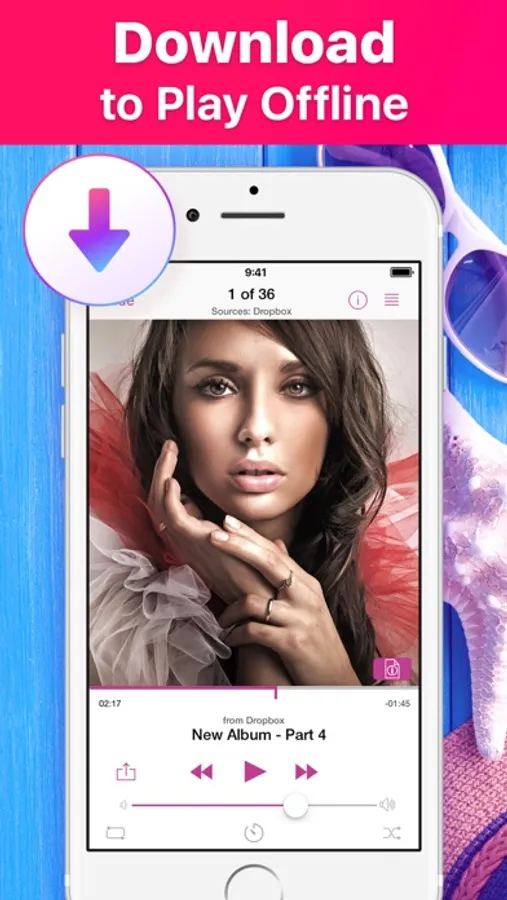
With this music player app, you can play MP3 files offline, manage playlists, and control playback from the lock screen. Includes cloud storage integration, playlist management, and background playback.
AppRecs review analysis
AppRecs rating 3.6. Trustworthiness 77 out of 100. Review manipulation risk 26 out of 100. Based on a review sample analyzed.
★★★☆☆
3.6
AppRecs Rating
Ratings breakdown
5 star
70%
4 star
9%
3 star
5%
2 star
3%
1 star
12%
What to know
✓
Low review manipulation risk
26% review manipulation risk
⚠
Ad complaints
Many low ratings mention excessive ads
⚠
Pricing complaints
Many low ratings mention paywalls or pricing
About Music Cloud Offline
Enjoy seamless music listening experience! Sync and manage your favorite MP3 files across all your devices such as iPhone/iPad/iPod and your Mac!
Any music, podcasts, DJ sets, remixes or other mp3 audio files you want! Listen to music that you really need!
Music Player:
- Full-featured music player
- Lock screen control
- Headphones and Air Port support
- Background music playback
Unlimited music storage:
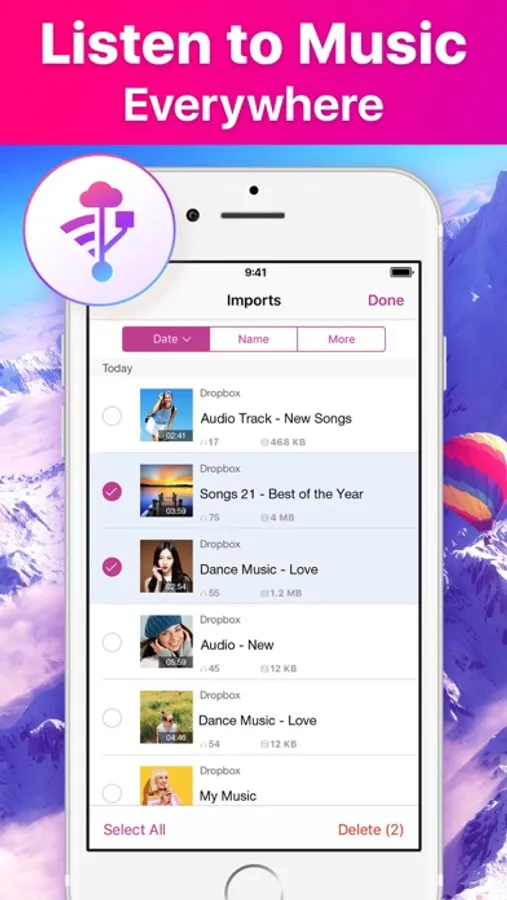
- Listen to your music from Cloud storages - Dropbox, Google Drive, iCloud Drive
- Device space saver
- Connect to shared folders in the cloud
Easy-to-use playlist Manager
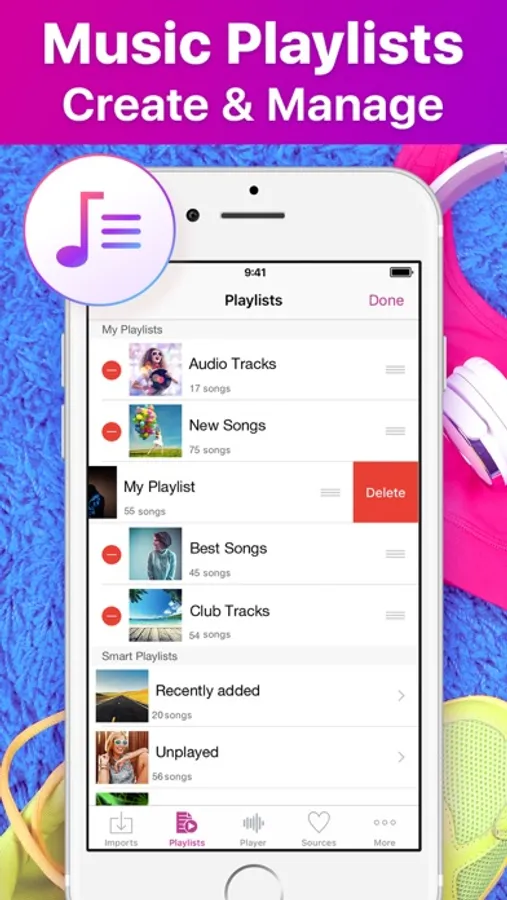
- Add, delete, modify playlists and tracks
- Sort own media library to create playlist by frequency of plays, by author, by track name, etc.
This app is perfect for quick access to your favorite music from your cloud storages without internet.
SUBSCRIPTION PRICING & TERMS
Weekly Subscription - $1.99 per week (with 3-day free trial).
– Payment will be charged to iTunes Account at confirmation of purchase.
– You will be able to access full feature of the app for the duration of the subscription.
– Subscription automatically renews for the same price and duration period as the original ""one week"" unless auto-renew is turned off at least 24-hours before the end of the current period.
– The account will be charged for renewal within 24-hours prior to the end of the current period at the cost of the chosen package (weekly).
– Subscriptions may be managed by the user and auto-renewal may be turned off on the user's iTunes Account Settings after purchase.
– No cancellation of the current subscription is allowed during active subscription period.
– You may cancel a subscription during its free trial period via the subscription setting through your iTunes account. This must be done 24 hours before the end of the subscription period to avoid being charged. Please visit http://support.apple.com/kb/ht4098 for more information.
– You may turn off the auto-renewal of your subscription via your iTunes Account Settings. However, you are not able to cancel the current subscription during its active period.
– Any unused portion of a free-trial period, will be forfeited when the user purchases a subscription.
Read our full Terms of Service and our Privacy Policy at:
https://levisrecs.wordpress.com/privacy-policy/
https://levisrecs.wordpress.com/terms-of-use/
Any music, podcasts, DJ sets, remixes or other mp3 audio files you want! Listen to music that you really need!
Music Player:
- Full-featured music player
- Lock screen control
- Headphones and Air Port support
- Background music playback
Unlimited music storage:
- Listen to your music from Cloud storages - Dropbox, Google Drive, iCloud Drive
- Device space saver
- Connect to shared folders in the cloud
Easy-to-use playlist Manager
- Add, delete, modify playlists and tracks
- Sort own media library to create playlist by frequency of plays, by author, by track name, etc.
This app is perfect for quick access to your favorite music from your cloud storages without internet.
SUBSCRIPTION PRICING & TERMS
Weekly Subscription - $1.99 per week (with 3-day free trial).
– Payment will be charged to iTunes Account at confirmation of purchase.
– You will be able to access full feature of the app for the duration of the subscription.
– Subscription automatically renews for the same price and duration period as the original ""one week"" unless auto-renew is turned off at least 24-hours before the end of the current period.
– The account will be charged for renewal within 24-hours prior to the end of the current period at the cost of the chosen package (weekly).
– Subscriptions may be managed by the user and auto-renewal may be turned off on the user's iTunes Account Settings after purchase.
– No cancellation of the current subscription is allowed during active subscription period.
– You may cancel a subscription during its free trial period via the subscription setting through your iTunes account. This must be done 24 hours before the end of the subscription period to avoid being charged. Please visit http://support.apple.com/kb/ht4098 for more information.
– You may turn off the auto-renewal of your subscription via your iTunes Account Settings. However, you are not able to cancel the current subscription during its active period.
– Any unused portion of a free-trial period, will be forfeited when the user purchases a subscription.
Read our full Terms of Service and our Privacy Policy at:
https://levisrecs.wordpress.com/privacy-policy/
https://levisrecs.wordpress.com/terms-of-use/