Use this video management app to save, organize, and playback videos offline with background and PiP features. Includes video storage, folder organization, playback controls, and privacy options.
AppRecs review analysis
AppRecs rating 4.6. Trustworthiness 74 out of 100. Review manipulation risk 23 out of 100. Based on a review sample analyzed.
★★★★☆
4.6
AppRecs Rating
Ratings breakdown
5 star
82%
4 star
8%
3 star
3%
2 star
3%
1 star
3%
What to know
✓
Low review manipulation risk
23% review manipulation risk
✓
Credible reviews
74% trustworthiness score from analyzed reviews
✓
High user satisfaction
82% of sampled ratings are 5 stars
About Video Saver Offline - Clicha
Save videos on Wi-Fi and enjoy them offline — anytime, anywhere.
Clicha is the trusted video saver with 45,000+ reviews and 4.4 stars.
Background play, PiP, sleep timer, speed control, and more.
◆ Features ◆
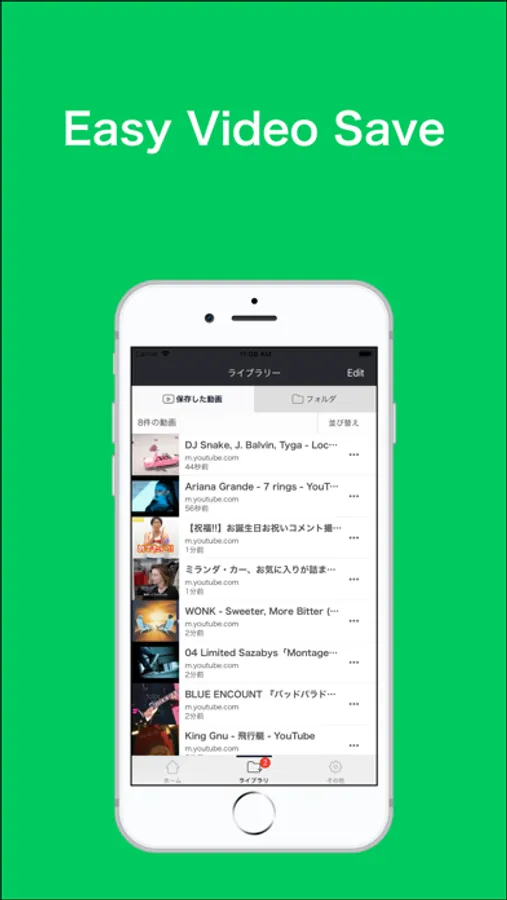
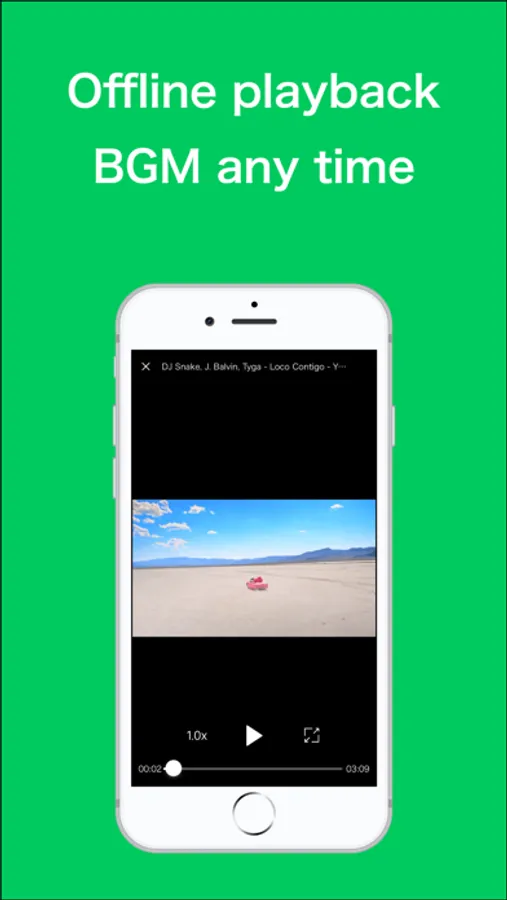
• Save videos and watch them offline anytime
• Play both video and audio in the background
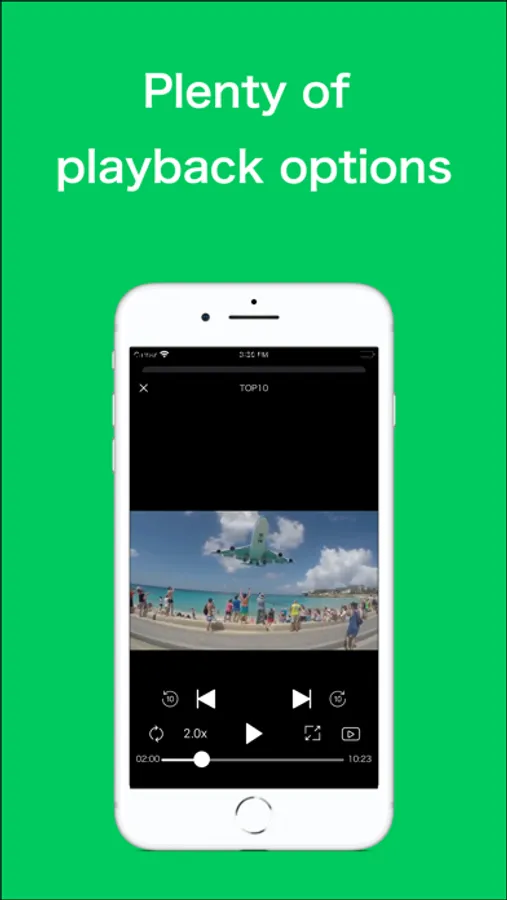
• Use Auto-Play with next/previous controls from Control Center
• Organize videos with folders and playlists
• Sort and reorder videos as you like
• Use repeat, speed control, and other advanced playback options
• Import videos from Photos, iCloud Drive, or other apps
• Record videos directly from the built-in camera
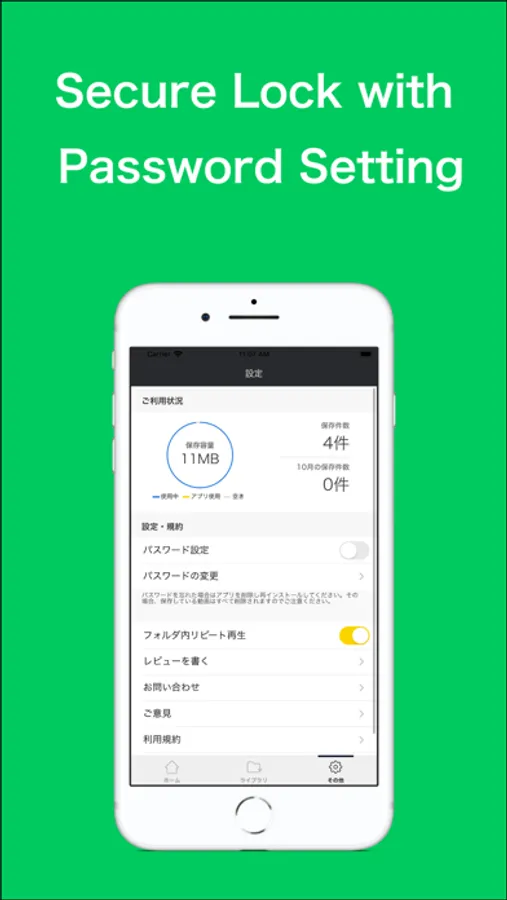
• Protect your videos with a passcode lock
• Set a sleep timer for playback
• Use Picture-in-Picture to watch while using other apps
• Enjoy background playback on iPad when PiP is turned off
• Play videos from your Apple Watch
• Access videos instantly with home screen widgets
• Stream to your TV with AirPlay
◆ Recommended for ◆
• People who watch videos frequently
• Anyone who wants instant offline playback
• Users who enjoy listening to videos like music
• Those who want to avoid data limits
• Anyone who wants clean folder-based video management
◆ How to organize videos ◆
1. Tap “Edit” on the Library screen
2. Select one or more videos
3. Tap “Move to Folder”
4. Create a new folder
5. Select the folder and finish
6. Open the folder tab to browse
7. Tap a video to start playback
◆ Premium Subscription ◆
• Unlimited video saving
• No ads
• Minimize videos while using other apps
• New features added regularly
Payment will be charged to your iTunes account at confirmation.
Subscription renews automatically unless turned off at least 24 hours before the renewal date.
You can manage your subscription and turn off auto-renewal in Settings.
We appreciate your feedback.
Terms of Use
https://sites.google.com/view/clicha/terms-of-use
Privacy Policy
https://sites.google.com/view/clicha/privacy-policy
Clicha is the trusted video saver with 45,000+ reviews and 4.4 stars.
Background play, PiP, sleep timer, speed control, and more.
◆ Features ◆
• Save videos and watch them offline anytime
• Play both video and audio in the background
• Use Auto-Play with next/previous controls from Control Center
• Organize videos with folders and playlists
• Sort and reorder videos as you like
• Use repeat, speed control, and other advanced playback options
• Import videos from Photos, iCloud Drive, or other apps
• Record videos directly from the built-in camera
• Protect your videos with a passcode lock
• Set a sleep timer for playback
• Use Picture-in-Picture to watch while using other apps
• Enjoy background playback on iPad when PiP is turned off
• Play videos from your Apple Watch
• Access videos instantly with home screen widgets
• Stream to your TV with AirPlay
◆ Recommended for ◆
• People who watch videos frequently
• Anyone who wants instant offline playback
• Users who enjoy listening to videos like music
• Those who want to avoid data limits
• Anyone who wants clean folder-based video management
◆ How to organize videos ◆
1. Tap “Edit” on the Library screen
2. Select one or more videos
3. Tap “Move to Folder”
4. Create a new folder
5. Select the folder and finish
6. Open the folder tab to browse
7. Tap a video to start playback
◆ Premium Subscription ◆
• Unlimited video saving
• No ads
• Minimize videos while using other apps
• New features added regularly
Payment will be charged to your iTunes account at confirmation.
Subscription renews automatically unless turned off at least 24 hours before the renewal date.
You can manage your subscription and turn off auto-renewal in Settings.
We appreciate your feedback.
Terms of Use
https://sites.google.com/view/clicha/terms-of-use
Privacy Policy
https://sites.google.com/view/clicha/privacy-policy