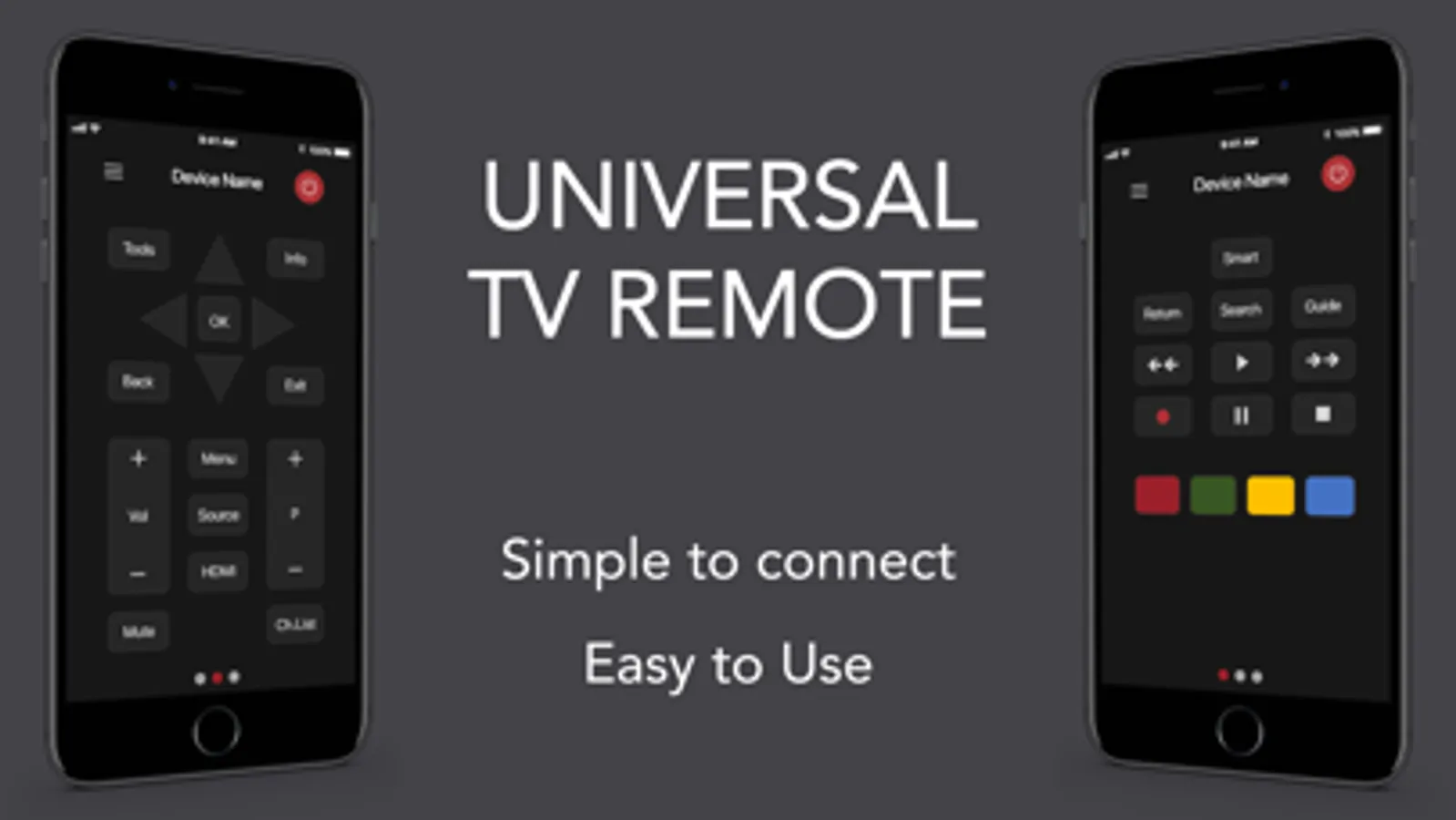
With this remote control app, you can connect to your Smart TV via WiFi and manage volume, source, and channels. Includes compatibility with Samsung, LG, and other brands, as well as support for multiple device series.
AppRecs review analysis
AppRecs rating 3.6. Trustworthiness 71 out of 100. Review manipulation risk 34 out of 100. Based on a review sample analyzed.
★★★☆☆
3.6
AppRecs Rating
Ratings breakdown
5 star
76%
4 star
6%
3 star
4%
2 star
3%
1 star
11%
What to know
✓
Credible reviews
71% trustworthiness score from analyzed reviews
⚠
Pricing complaints
Many low ratings mention paywalls or pricing
⚠
Review quality concerns
92% of sampled 5-star reviews are very short
About Universal Remote - TV Remote ·
Ξ Use your Phone to control your Smart TV easily.
Ξ Compatible with Samsung, LG, and other Smart TV brands coming soon...
"Control your Smart TV directly from your device! "
Key Features:
- Fully functional free virtual TV Remote control
- Connect to your Smart TV on your WiFi Network
- Control your TV: volume, source, power, channel, smart...
Samsung Compatibility:
C Series (2010), D Series (2011), E Series (2012), F Series (2013), H Series (2014),
J Series (2015), K Series (2016), Q-M Series(2017), Q-N Series (2018) and R Series (2019).
LG Compatibility:
All WebOS TV series
DISCLAIMER
This app is not an official Samsung or LG product. We are not affiliated with the company Samsung or LG.
SUBSCRIPTION:
We offer auto-renewing subscription:
- Length: weekly and yearly
- Payment will be charged to iTunes Account at confirmation of purchase
- You will be able to access the Premium features of the app for the duration of the subscription
- Subscription automatically renews for the same price and duration period as the original period unless auto-renew is turned off at least 24-hours before the end of the current period
- The account will be charged for renewal within 24-hours prior to the end of the current period at the cost of the chosen package.
- Subscriptions may be managed by the user and auto-renewal may be turned off by going to the user's iTunes Account Settings after purchase
- No cancellation of the current subscription is allowed during the active subscription period
- You may cancel a subscription during its free trial period via the subscription setting through your Apple account. This must be done 24 hours before the end of the subscription period to avoid being charged. Please visit https://support.apple.com/en-us/HT202039 for more information on how to proceed.
- You may turn off the auto-renewal of your subscription via your Apple Account Settings. However, you are not able to cancel the current subscription during its active period
- Any unused portion of a free-trial period will be forfeited when the user purchases a subscription.
Privacy Policy:
https://planecubes.com/privacy/
Terms of Use:
https://planecubes.com/terms/
Ξ Compatible with Samsung, LG, and other Smart TV brands coming soon...
"Control your Smart TV directly from your device! "
Key Features:
- Fully functional free virtual TV Remote control
- Connect to your Smart TV on your WiFi Network
- Control your TV: volume, source, power, channel, smart...
Samsung Compatibility:
C Series (2010), D Series (2011), E Series (2012), F Series (2013), H Series (2014),
J Series (2015), K Series (2016), Q-M Series(2017), Q-N Series (2018) and R Series (2019).
LG Compatibility:
All WebOS TV series
DISCLAIMER
This app is not an official Samsung or LG product. We are not affiliated with the company Samsung or LG.
SUBSCRIPTION:
We offer auto-renewing subscription:
- Length: weekly and yearly
- Payment will be charged to iTunes Account at confirmation of purchase
- You will be able to access the Premium features of the app for the duration of the subscription
- Subscription automatically renews for the same price and duration period as the original period unless auto-renew is turned off at least 24-hours before the end of the current period
- The account will be charged for renewal within 24-hours prior to the end of the current period at the cost of the chosen package.
- Subscriptions may be managed by the user and auto-renewal may be turned off by going to the user's iTunes Account Settings after purchase
- No cancellation of the current subscription is allowed during the active subscription period
- You may cancel a subscription during its free trial period via the subscription setting through your Apple account. This must be done 24 hours before the end of the subscription period to avoid being charged. Please visit https://support.apple.com/en-us/HT202039 for more information on how to proceed.
- You may turn off the auto-renewal of your subscription via your Apple Account Settings. However, you are not able to cancel the current subscription during its active period
- Any unused portion of a free-trial period will be forfeited when the user purchases a subscription.
Privacy Policy:
https://planecubes.com/privacy/
Terms of Use:
https://planecubes.com/terms/