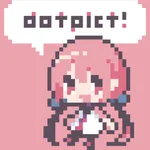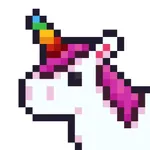
In this pixel art app, you can create designs using simple tap-and-draw controls and customize colors with preset and user-defined palettes. Includes export options as transparent PNGs and support for multiple canvas sizes.
AppRecs review analysis
AppRecs rating 4.1. Trustworthiness 69 out of 100. Review manipulation risk 26 out of 100. Based on a review sample analyzed.
★★★★☆
4.1
AppRecs Rating
Ratings breakdown
5 star
80%
4 star
11%
3 star
4%
2 star
2%
1 star
3%
What to know
✓
Low review manipulation risk
26% review manipulation risk
✓
High user satisfaction
80% of sampled ratings are 5 stars
⚠
Ad complaints
Many low ratings mention excessive ads
About 8bit Painter - Pixel Art
Over 5.6 Million Downloads!
A fun and easy pixel art app for beginners and creative projects!
8bit Painter is a beginner-friendly pixel art maker with simple and intuitive controls.
Perfect for creating SNS icons, game skins, or craft patterns like perler beads, cross-stitch, and knitting.
[ Key Features ]
• Easy-to-use interface for pixel art beginners
Designed with simplicity in mind — just tap and draw!
• Essential pixel drawing tools only
No complex menus. Focus on your creativity.
• Great for multiple uses
Ideal for SNS avatars, game assets, or crafting pattern designs.
• Import photos to pixelize
Instantly convert any photo into pixel art for fun use.
• Custom color palettes
Save up to 48 user-defined colors. Includes 96 preset colors.
• Export as transparent PNG
Choose from 3 output sizes and export clean, transparent pixel images.
[ Canvas Sizes (9 Types) ]
16×16 / 24×24 / 32×32 / 48×48
64×64 / 96×96 / 128×128 / 160×160 / 192×192
[ Save Slots ]
• Start with 30 slots
• Watch ads to unlock up to 480 slots
• Or purchase the “Remove Ads” add-on to unlock all instantly
[ Remove Ads Add-on ]
• Removes all ads
• Unlocks 480 save slots
• One-time purchase, can be restored anytime
[ Recommended For ]
• Beginners who want to start drawing pixel art
• Users who want a fast and simple pixel app
• People creating their own SNS icons
• DIYers making patterns for crafts like perler beads
• Pixel artists exploring NFTs and collectibles
A fun and easy pixel art app for beginners and creative projects!
8bit Painter is a beginner-friendly pixel art maker with simple and intuitive controls.
Perfect for creating SNS icons, game skins, or craft patterns like perler beads, cross-stitch, and knitting.
[ Key Features ]
• Easy-to-use interface for pixel art beginners
Designed with simplicity in mind — just tap and draw!
• Essential pixel drawing tools only
No complex menus. Focus on your creativity.
• Great for multiple uses
Ideal for SNS avatars, game assets, or crafting pattern designs.
• Import photos to pixelize
Instantly convert any photo into pixel art for fun use.
• Custom color palettes
Save up to 48 user-defined colors. Includes 96 preset colors.
• Export as transparent PNG
Choose from 3 output sizes and export clean, transparent pixel images.
[ Canvas Sizes (9 Types) ]
16×16 / 24×24 / 32×32 / 48×48
64×64 / 96×96 / 128×128 / 160×160 / 192×192
[ Save Slots ]
• Start with 30 slots
• Watch ads to unlock up to 480 slots
• Or purchase the “Remove Ads” add-on to unlock all instantly
[ Remove Ads Add-on ]
• Removes all ads
• Unlocks 480 save slots
• One-time purchase, can be restored anytime
[ Recommended For ]
• Beginners who want to start drawing pixel art
• Users who want a fast and simple pixel app
• People creating their own SNS icons
• DIYers making patterns for crafts like perler beads
• Pixel artists exploring NFTs and collectibles