AppRecs review analysis
AppRecs rating 4.0. Trustworthiness 65 out of 100. Review manipulation risk 21 out of 100. Based on a review sample analyzed.
★★★★☆
4.0
AppRecs Rating
Ratings breakdown
5 star
71%
4 star
14%
3 star
7%
2 star
7%
1 star
0%
What to know
✓
Low review manipulation risk
21% review manipulation risk
✓
High user satisfaction
71% of sampled ratings are 5 stars
About CDBFlite
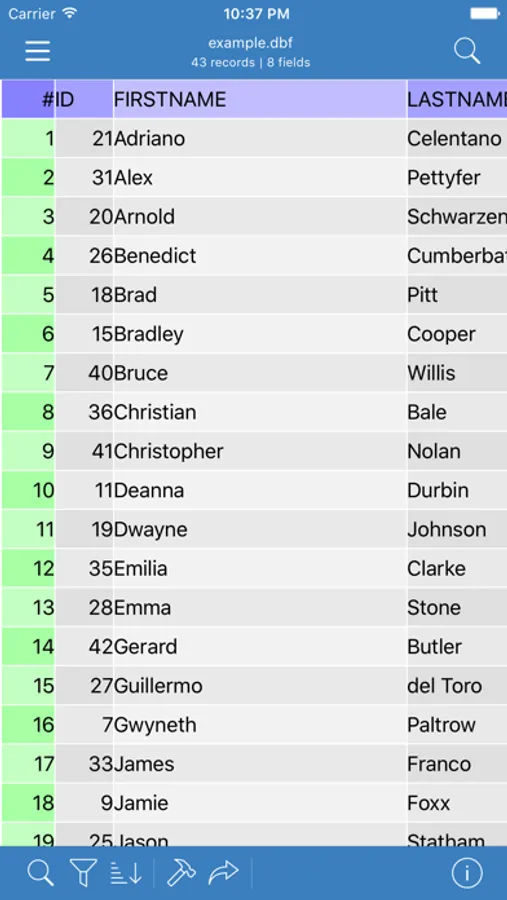
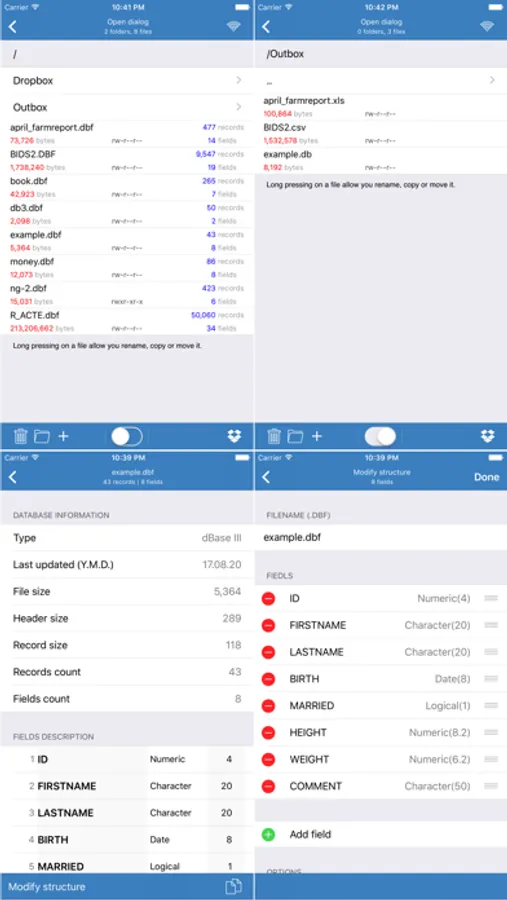
It is a powerful dbf viewer and editor that lets individuals and business users access dbf files.
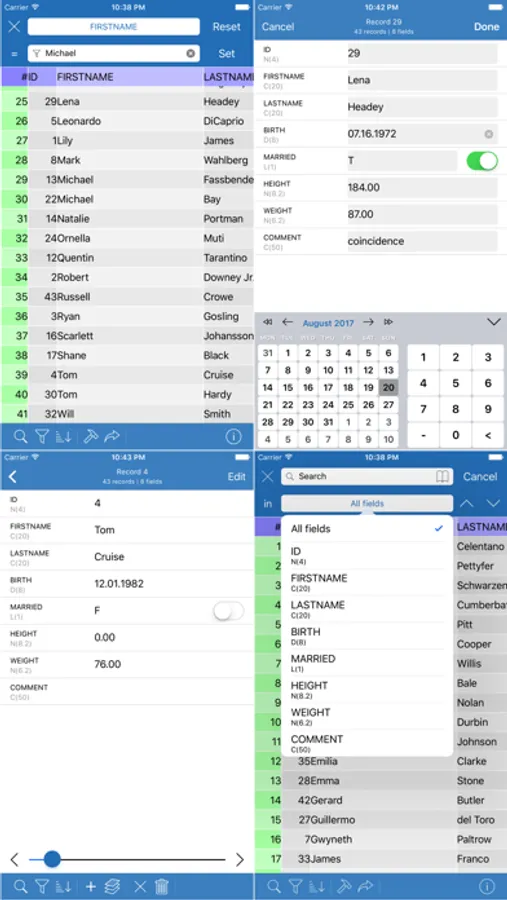
You can view dbf files, view a structure of files; general statistics about the file: type of file, size, number of records and fields; you can upload dbf files via web-browser; you can perform search, set a filter, change an order of information.
You can edit your dbf files.
Just click on a field and enter any text, numbers, dates etc.
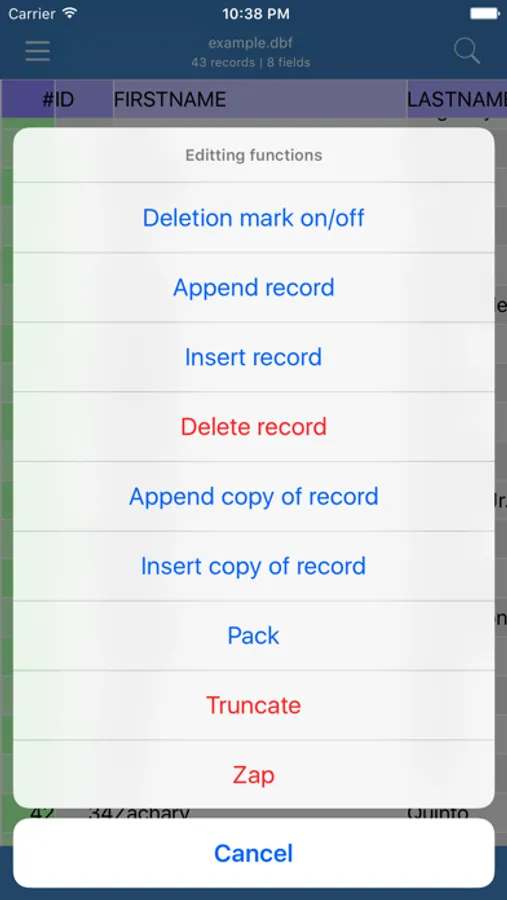
Besides you can perform a lot of functions:
- set or remove deletion mark
- append records
- insert records
- delete records
- perform pack, truncate, zap commands
You can create new dbf files and modify a structure of existing dbf files.
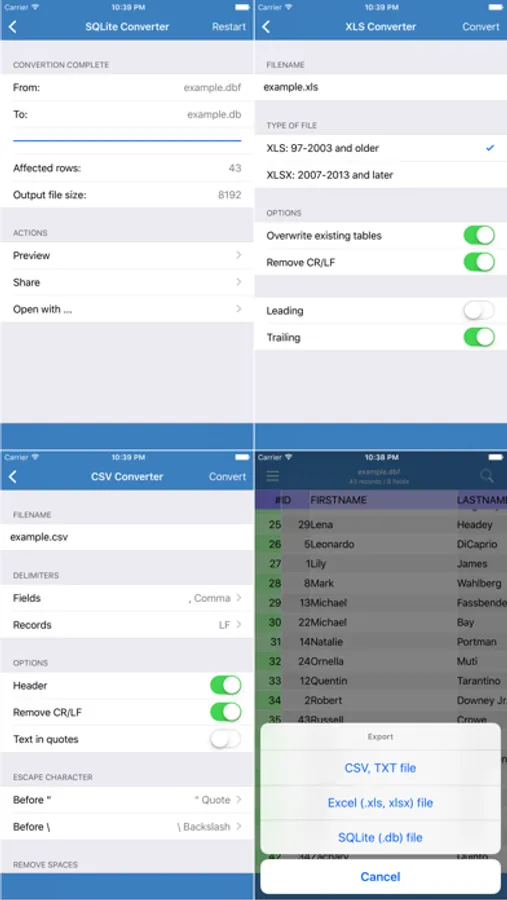
You can export information to CSV, TXT, XLS, XLSX, SQLite, HTML formats.
You can select various options to customize the output file.
You can review the output file in the internal viewer and also open this file in different programs that are associated with .txt, .csv, .xls, .xlsx, .db, .html extension.
In the OpenDialog you can
- create folders
- rename files and folders
- copy files
- access Dropbox: download and upload files
- send files by email
You can view dbf files, view a structure of files; general statistics about the file: type of file, size, number of records and fields; you can upload dbf files via web-browser; you can perform search, set a filter, change an order of information.
You can edit your dbf files.
Just click on a field and enter any text, numbers, dates etc.
Besides you can perform a lot of functions:
- set or remove deletion mark
- append records
- insert records
- delete records
- perform pack, truncate, zap commands
You can create new dbf files and modify a structure of existing dbf files.
You can export information to CSV, TXT, XLS, XLSX, SQLite, HTML formats.
You can select various options to customize the output file.
You can review the output file in the internal viewer and also open this file in different programs that are associated with .txt, .csv, .xls, .xlsx, .db, .html extension.
In the OpenDialog you can
- create folders
- rename files and folders
- copy files
- access Dropbox: download and upload files
- send files by email